FROM A CELEBRATION TO A CONVERSATION
Eventa
Make the first hello a little easier.
A wedding already gives people something in common. Eventa turns that shared moment into a mobile space to discover guests, express interest and start a conversation - without installing an app.
 Attendee app ↗
Original application. Fictional demo data.↗ Screens open at full resolution
- MY ROLE
- Product · design · full-stack build · operation
- CONTEXT
- Solo project · sole creator
- TIMELINE
- 2026
- PROJECT STATUS
- Discontinued · Source public
THE IDEA, IN A MOMENT
Meet within the moment.
A connected event experience has different responsibilities: customers shape the celebration, organizers prepare their guests, attendees meet in the mobile app, and operators oversee the service.
Where I contributed
I conceived, designed, built, and operated the product, including the guest experience, organizer ordering, payments, and operational tools.
Set the scene
A welcome that belongs to the event.
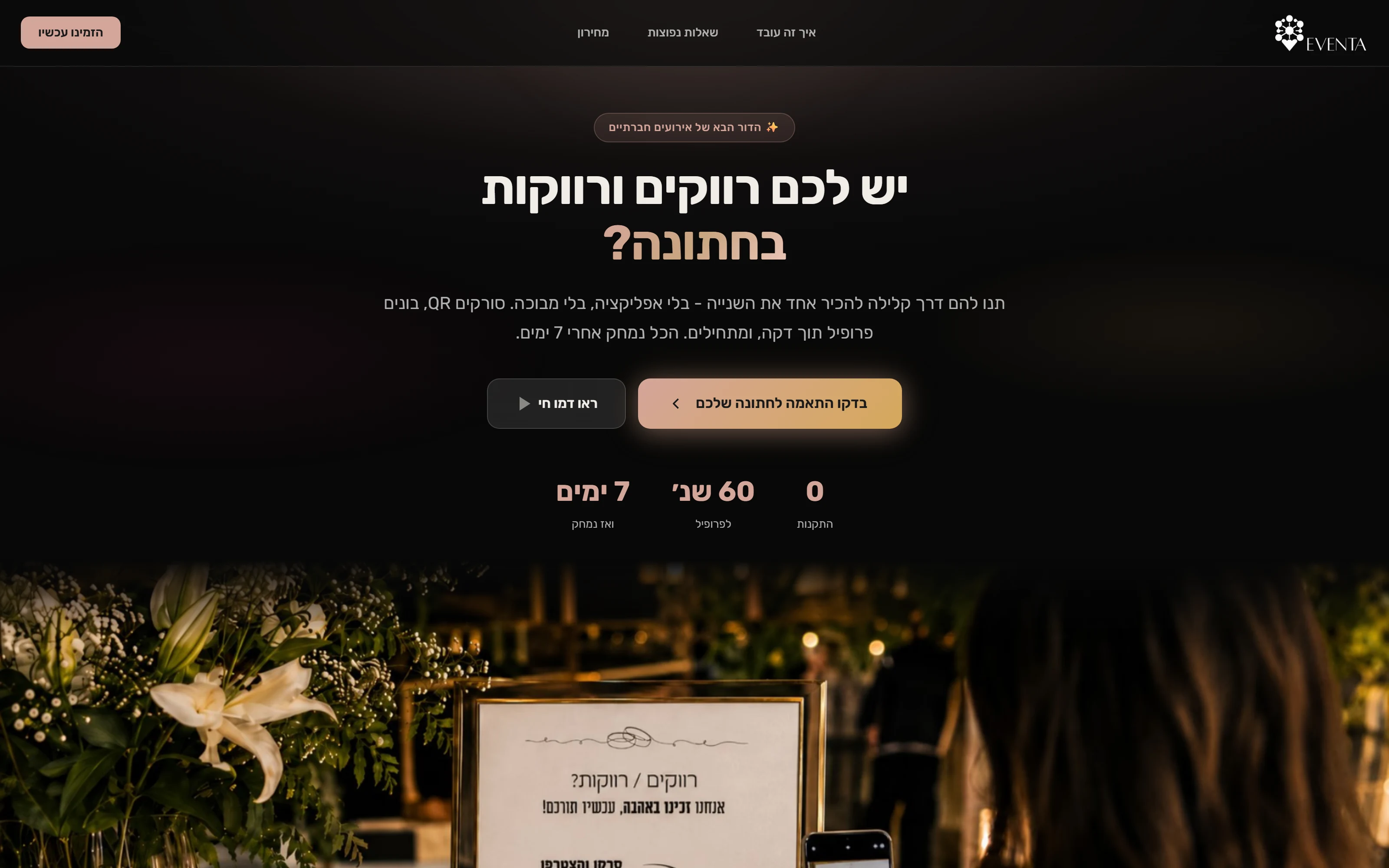
The customer website explains the idea. The setup flow gives it a personal background, a printed welcome and an editable configuration before the event is ordered.
A welcome that belongs to the event.
A crafted sequence of actual original UI interactions, with detail cuts and full-view context. All event data is fictional.
Read the walkthrough
- Make the welcome yours
A personal background begins with the original local upload flow.
- Compose the first impression
The native cropper produces the portrait image used by the guest preview.
- See the choice in context
The original phone preview now carries the uploaded image.
- Carry it into the room
Choose an original QR-poster template and add a specific design request.
- Look closely before ordering
The full-size template preview is part of the original website.
- One editable summary
Dates, background, poster and services remain reviewable. No order is submitted.
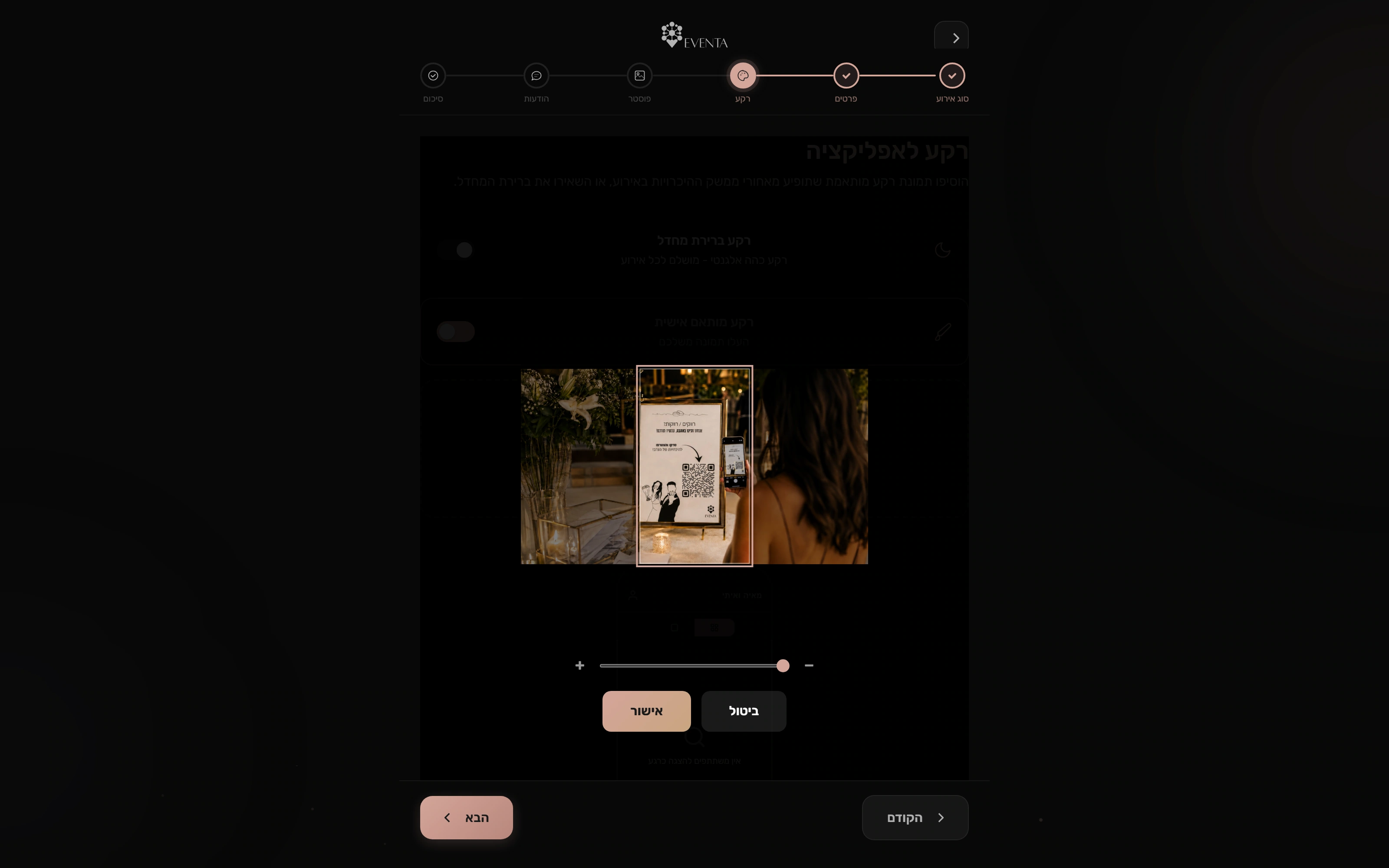
A personal first impression
The original cropper prepares a portrait background before it enters the event preview.
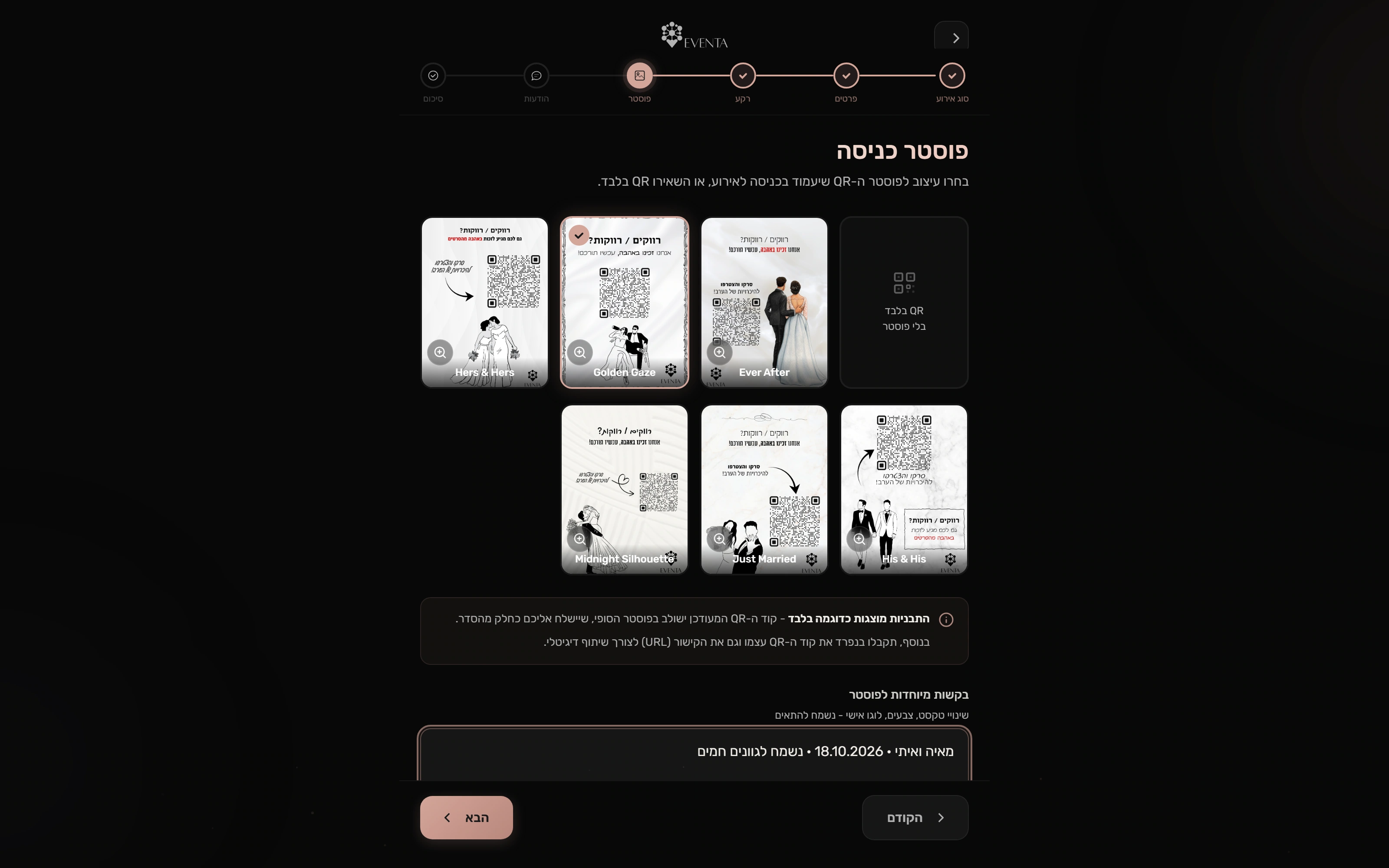
From screen to venue
Select an original QR-poster template and attach specific design instructions.
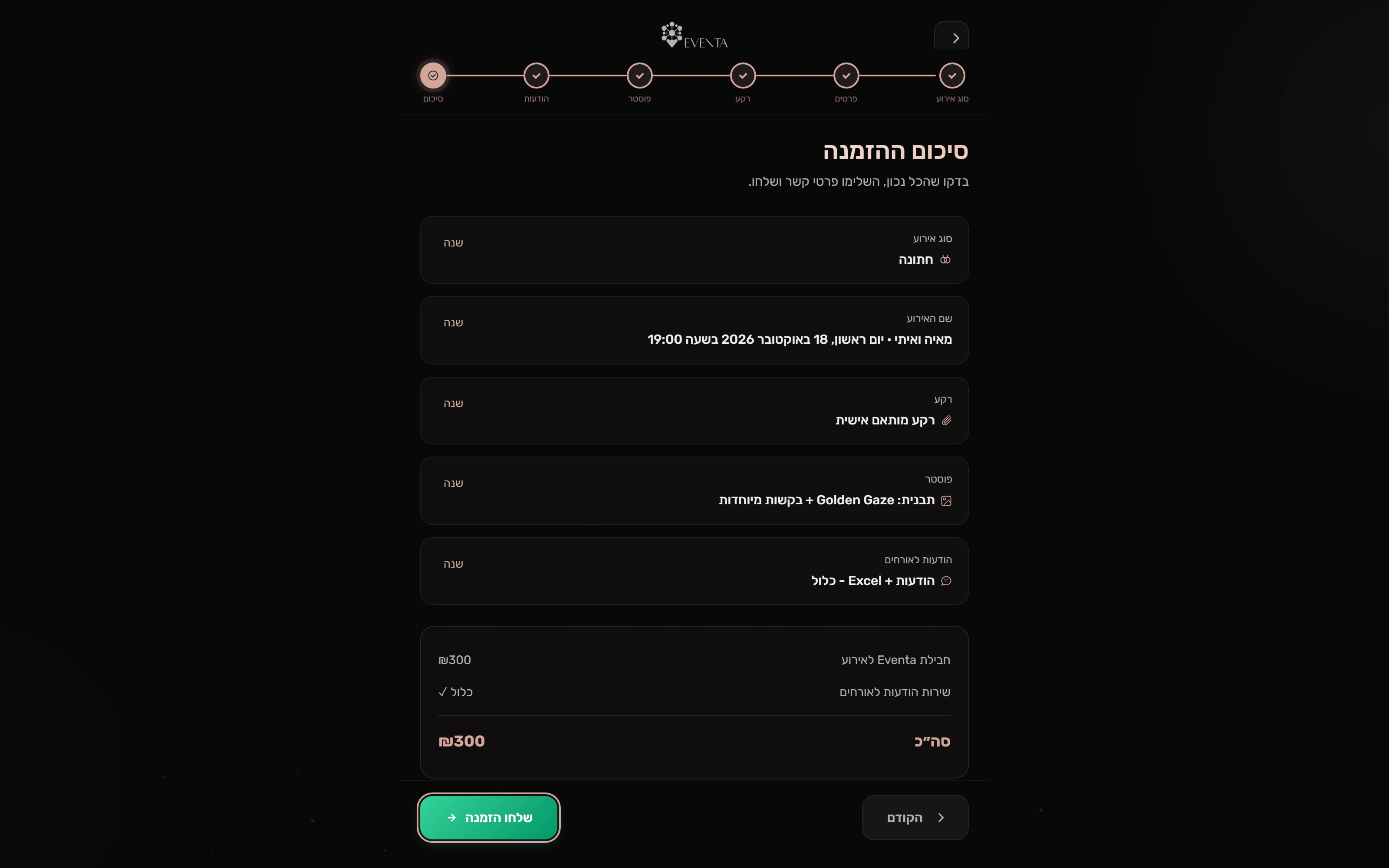
An editable event configuration
Date, background, poster and included services remain reviewable before an order is submitted.
Prepare the guests
A messy spreadsheet. A clear next step.
A separate organizer portal asks for consent, validates a guest upload and distinguishes accepted contacts from duplicate or invalid rows. The organizer can review the list and invitation wording.
Preparing the room. Understanding the night.
A crafted sequence of actual original UI interactions, with detail cuts and full-view context. All event data is fictional.
Read the walkthrough
- Permission comes first
The organizer records permission before the list tools appear.
- A useful answer to a messy list
Twelve fictional contacts saved. One duplicate and one invalid row explained.
- A list you can manage
Saved contacts retain their pending-invitation status.
- Review the invitation
The built-in message illustration previews the event wording. No messages are sent.
- After the night: a real report
The original analytics backend calculates a separate fictional event report.
- Follow the whole journey
Seeded event records become a real step-by-step conversion funnel.
- Understand the room
Audience breakdowns give the organizer more context about the room.
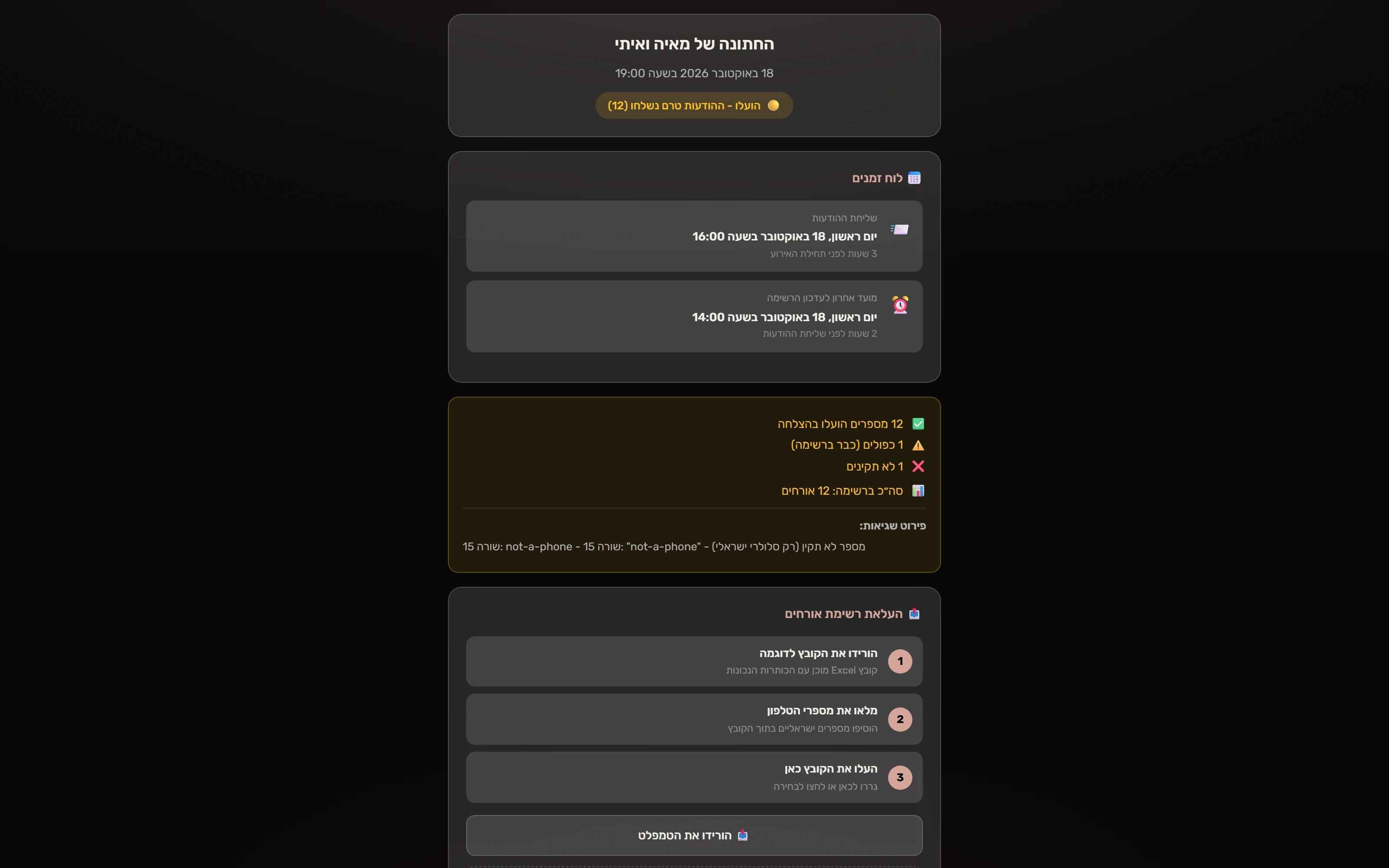
A messy spreadsheet, a clear result
The real import accepts twelve fictional contacts, skips one in-file duplicate and explains one invalid row.
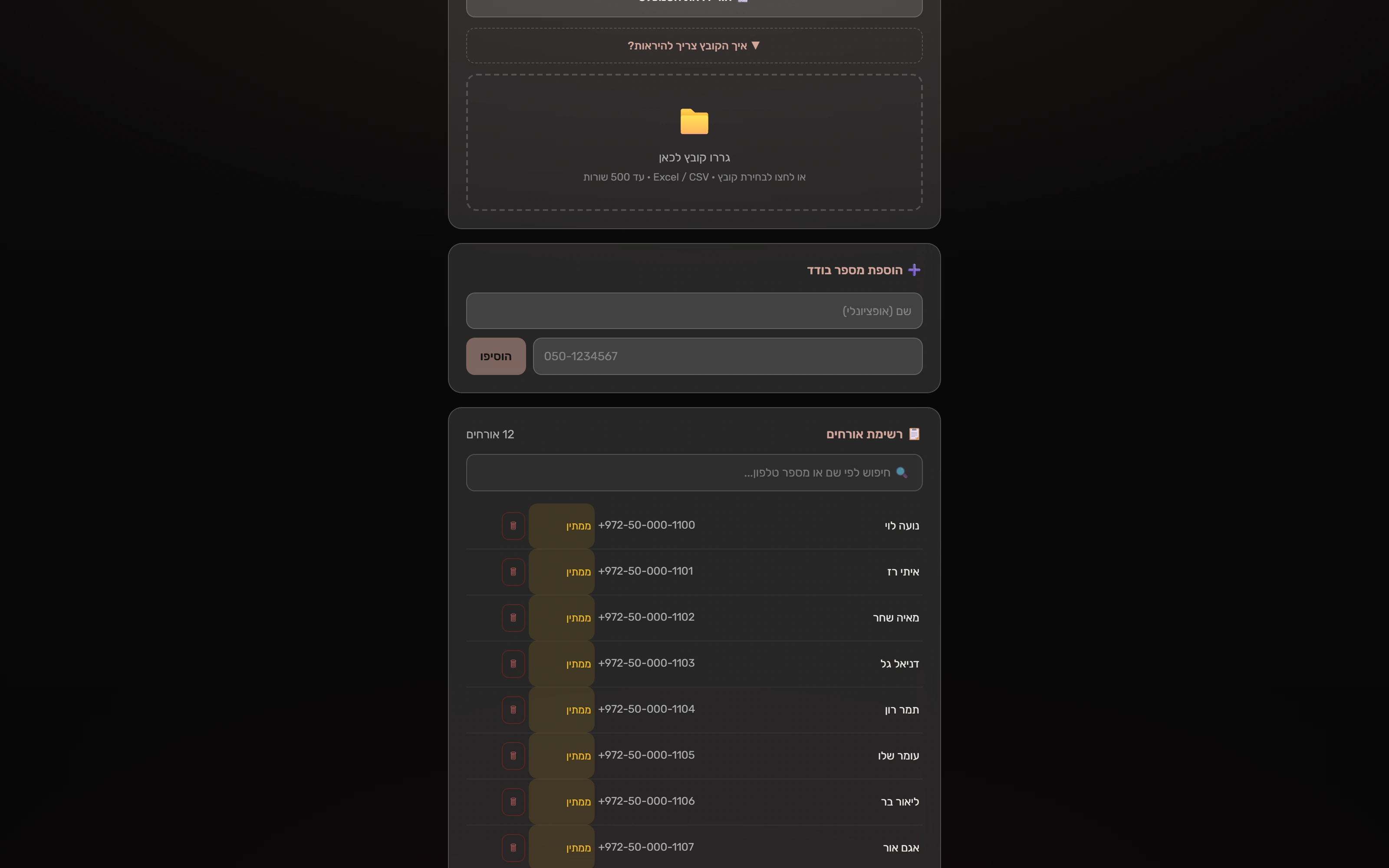
A list the organizer can manage
The saved contacts appear in the original portal with pending invitation statuses. No invitations are delivered.
Meet on your terms
Connection, with room for real life.
Discover guests in the event and explore mutual interest. If the connection drops during a conversation, the app keeps the message available for recovery. Personal boundaries remain a direct action.
Connection, recovery, and personal boundaries.
A crafted sequence of actual original UI interactions, with detail cuts and full-view context. All event data is fictional.
Read the walkthrough
- A message worth keeping
The original attendee chat, connected to the isolated real backend.
- Even when connection drops
The app keeps outgoing text instead of losing it.
- Still here. Ready to retry.
The failed-send state and retry control belong to the original app.
- Back online. Sent once.
Reconnection flushes the same message; a second real browser receives it.
- A clear personal boundary
Blocking explains that likes and the shared conversation will be removed.
- The connection is removed
The real block endpoint removes the pair’s conversation and message rows.
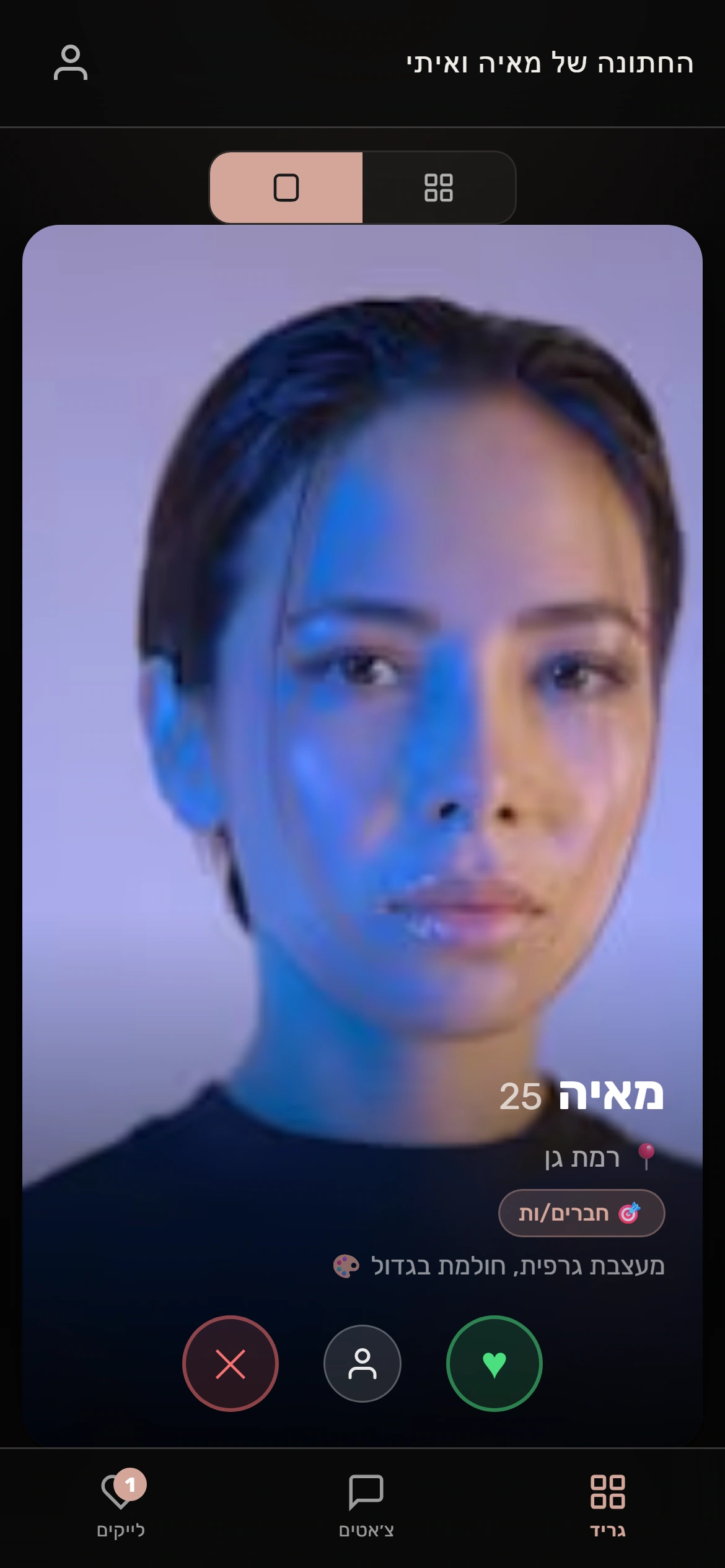
Discovery in the room
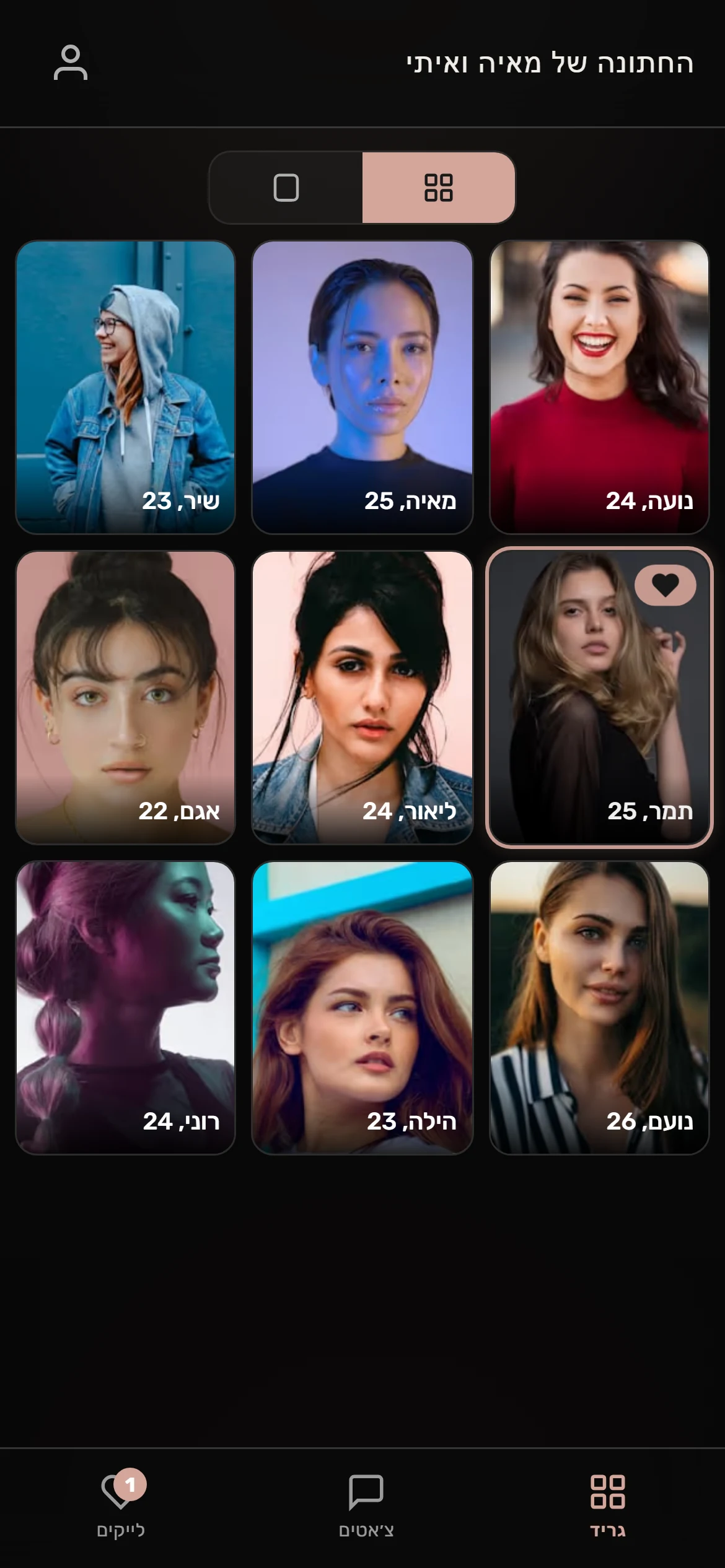
The actual attendee app presents event-scoped profiles in its native swipe view. All people are fictional demo profiles.
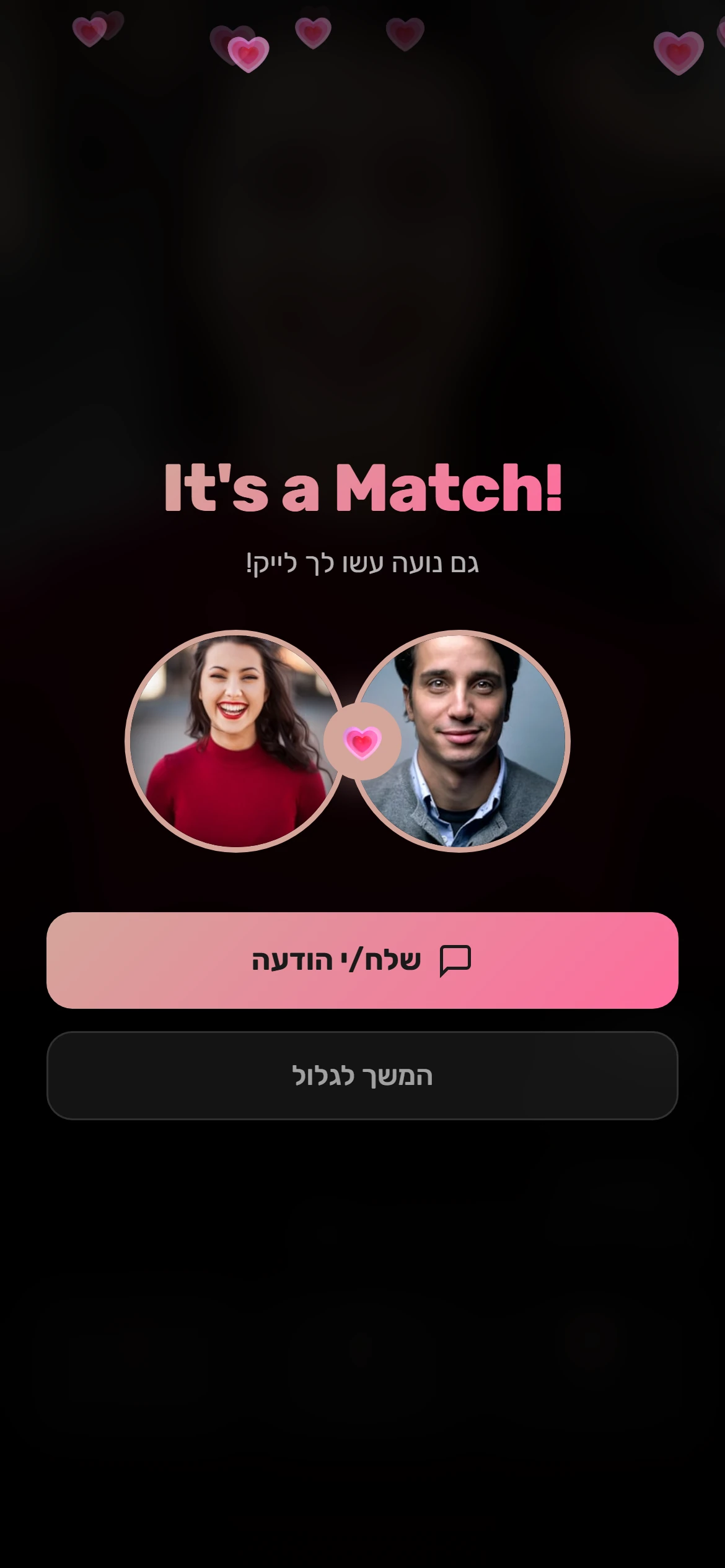
A mutual moment
A new reciprocal like triggers the original match screen for two fictional guests.
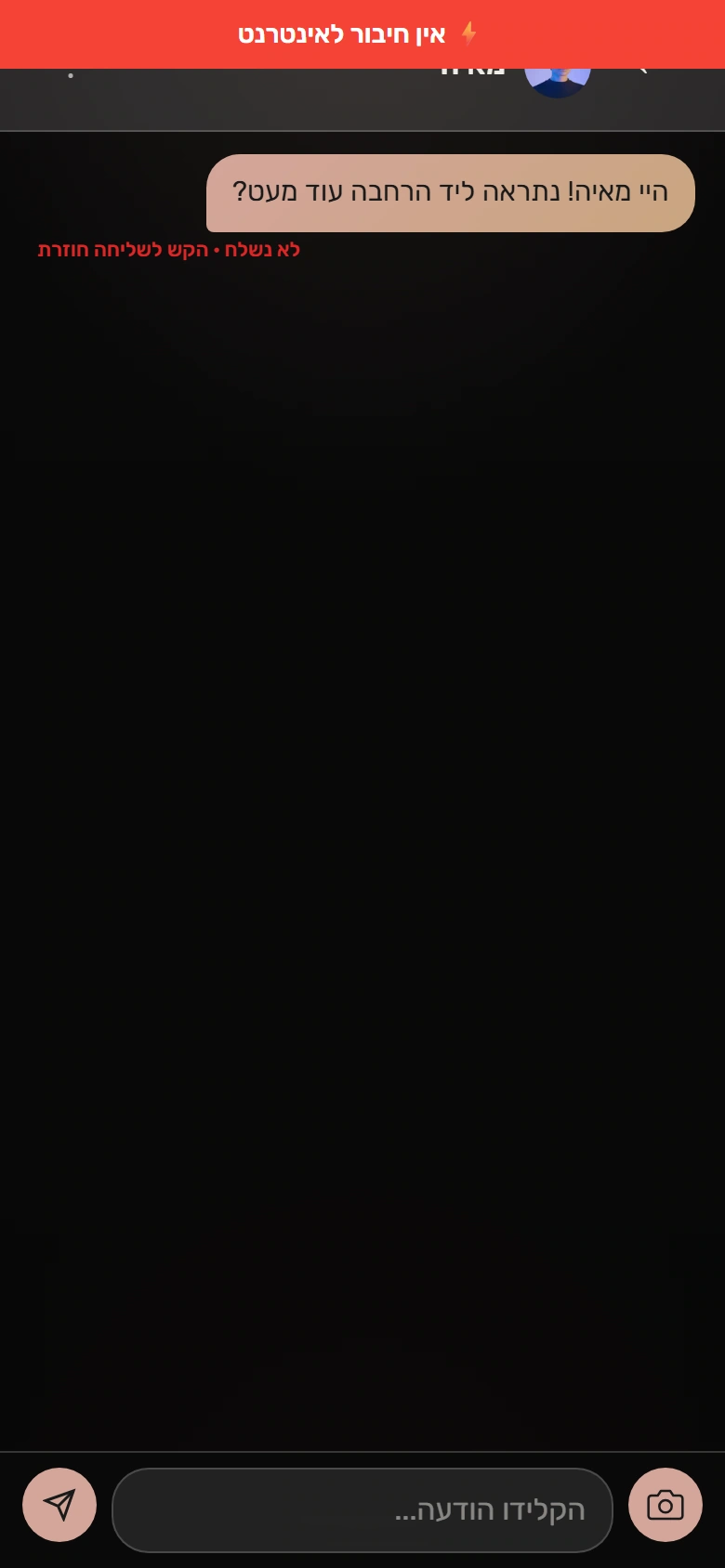
The connection drops. The message stays.
A real offline send preserves the message and exposes the original retry control. The product offline banner is shown; development tooling is omitted.
After the event
Understand the night. Run the service.
An organizer receives a focused event report. The operator has a separate view of conversion and safety activity across the service. These are different responsibilities, with different access.
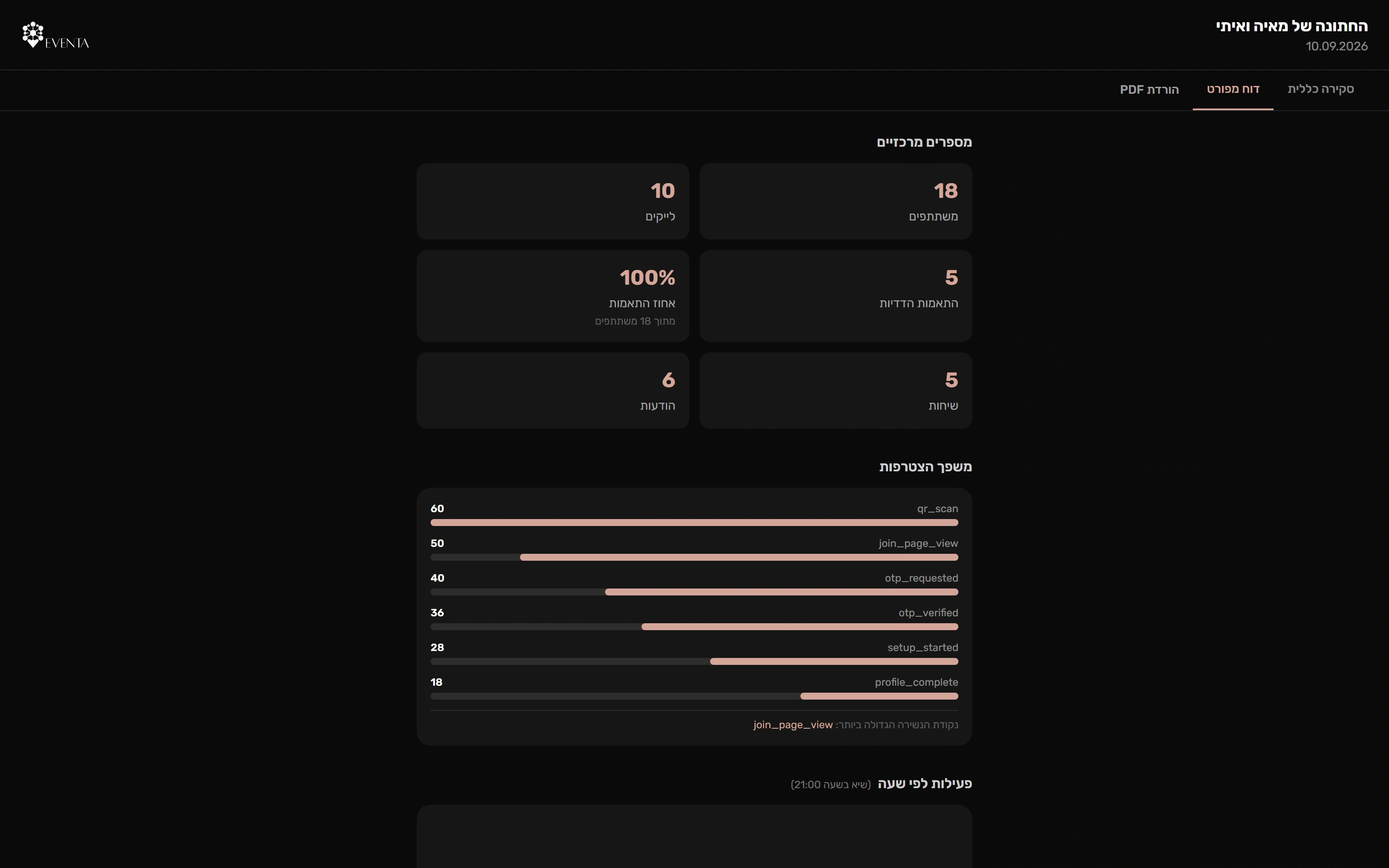
A report from event activity
The original analytics backend generates and persists a report for a separate fictional ended event. All shown counts are synthetic, including seeded funnel stages.
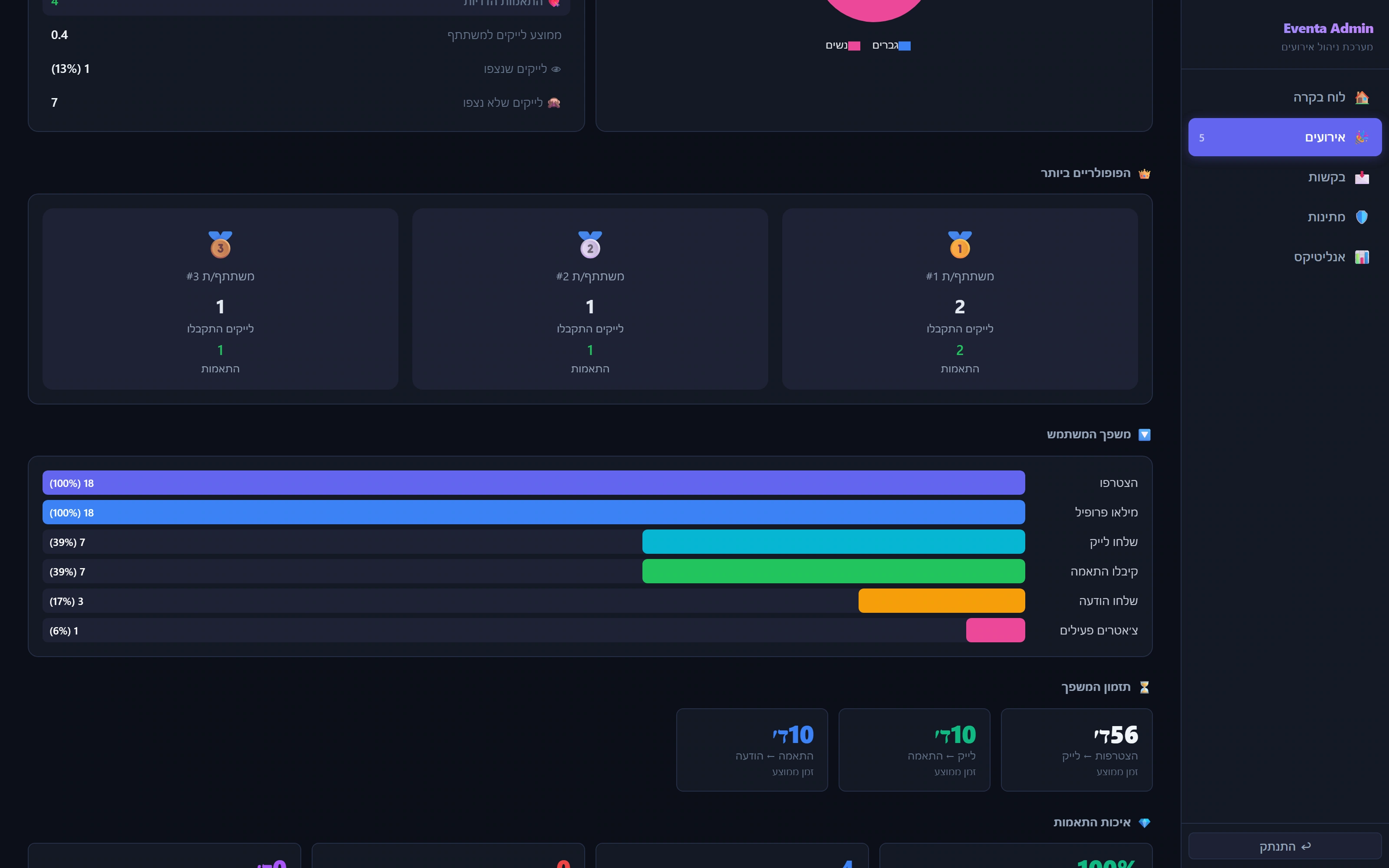
A different workspace for the operator
The administrator can inspect the progression from joining through matching and conversation. These are local synthetic event analytics.
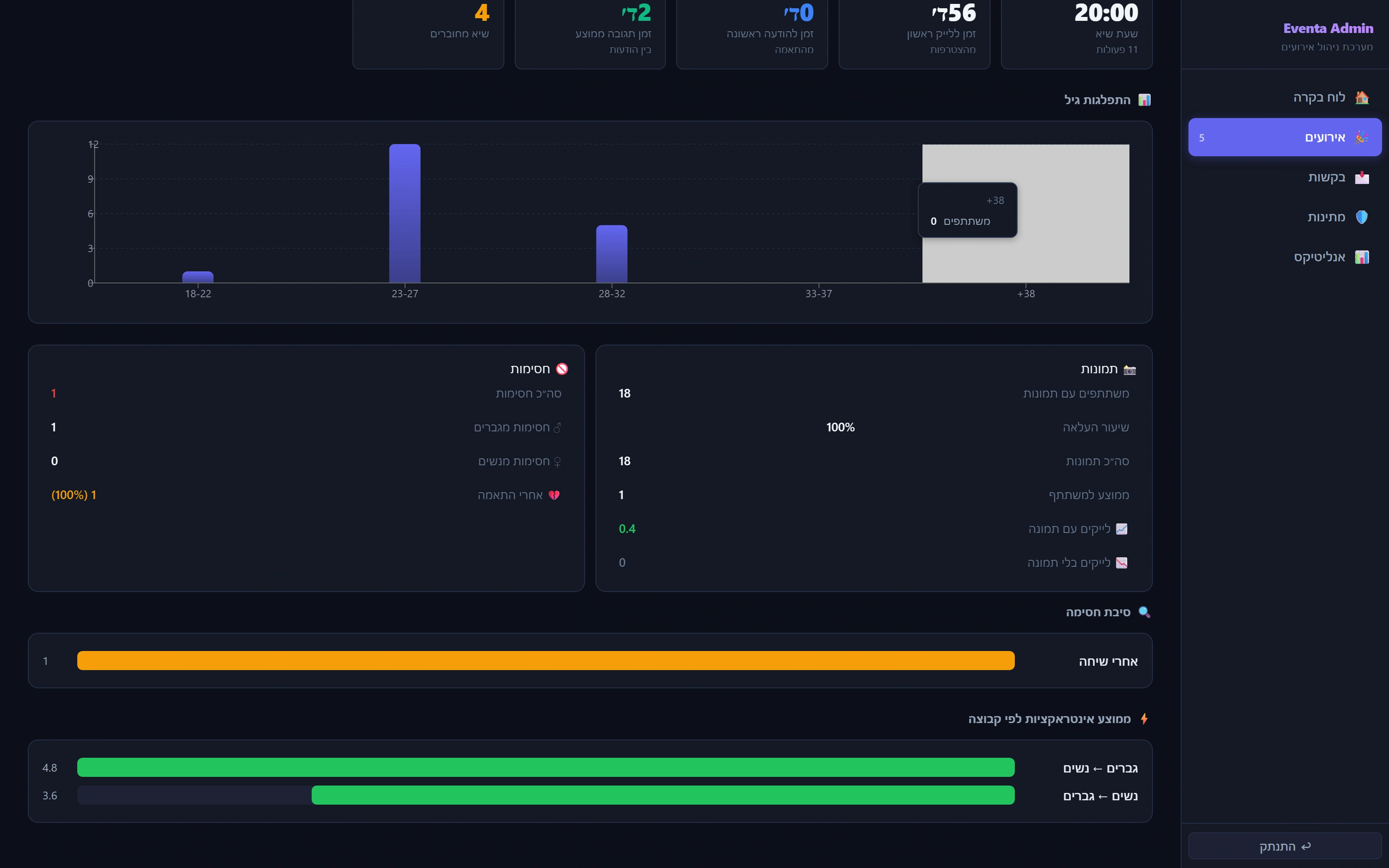
Safety has operational context
The operator dashboard derives blocking and interaction context from the actual local data. It is separate from the organizer’s limited portal.
More of the product 12 additional screens
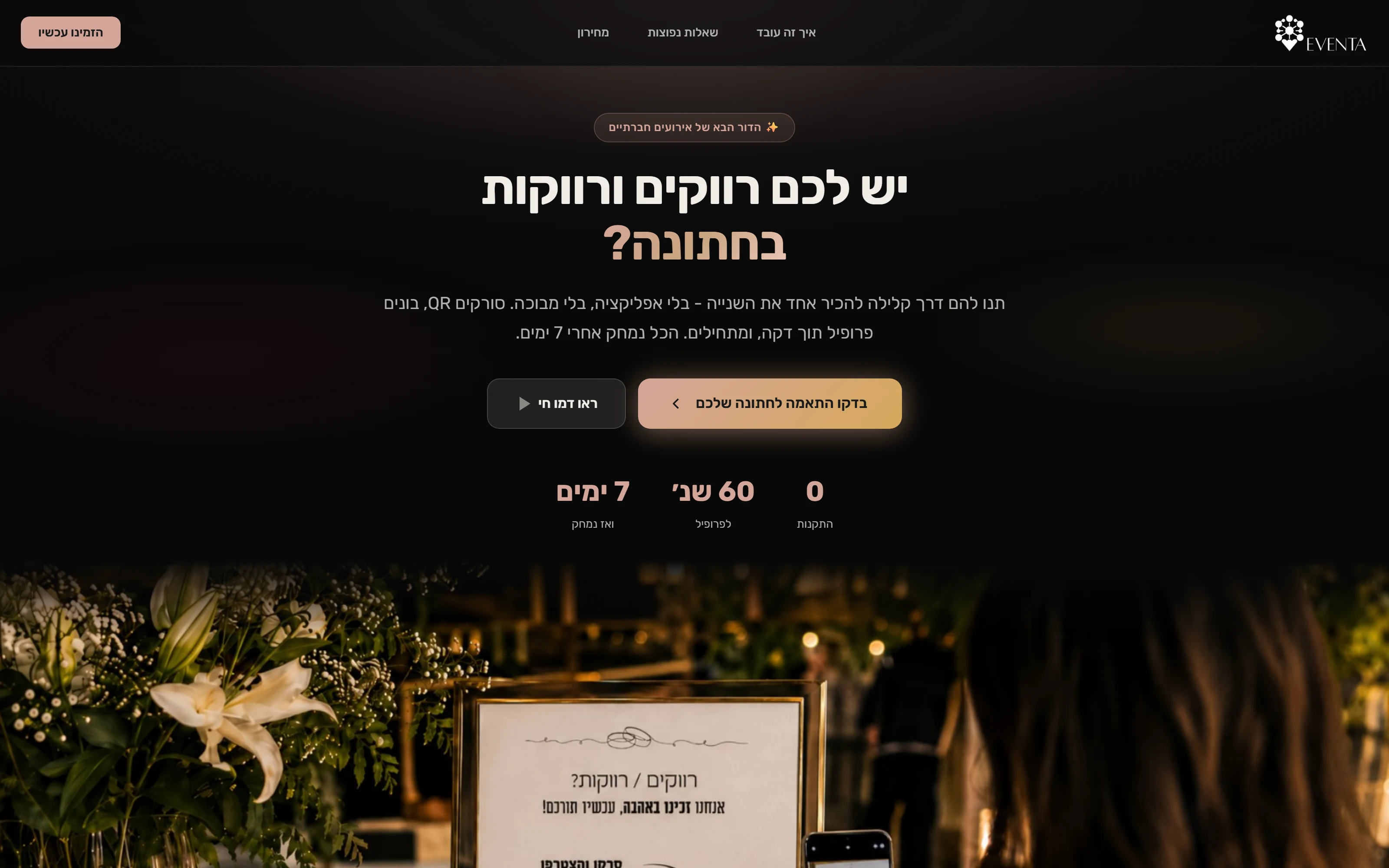
A customer-facing website
The original Hebrew website explains the wedding experience and leads into event setup.
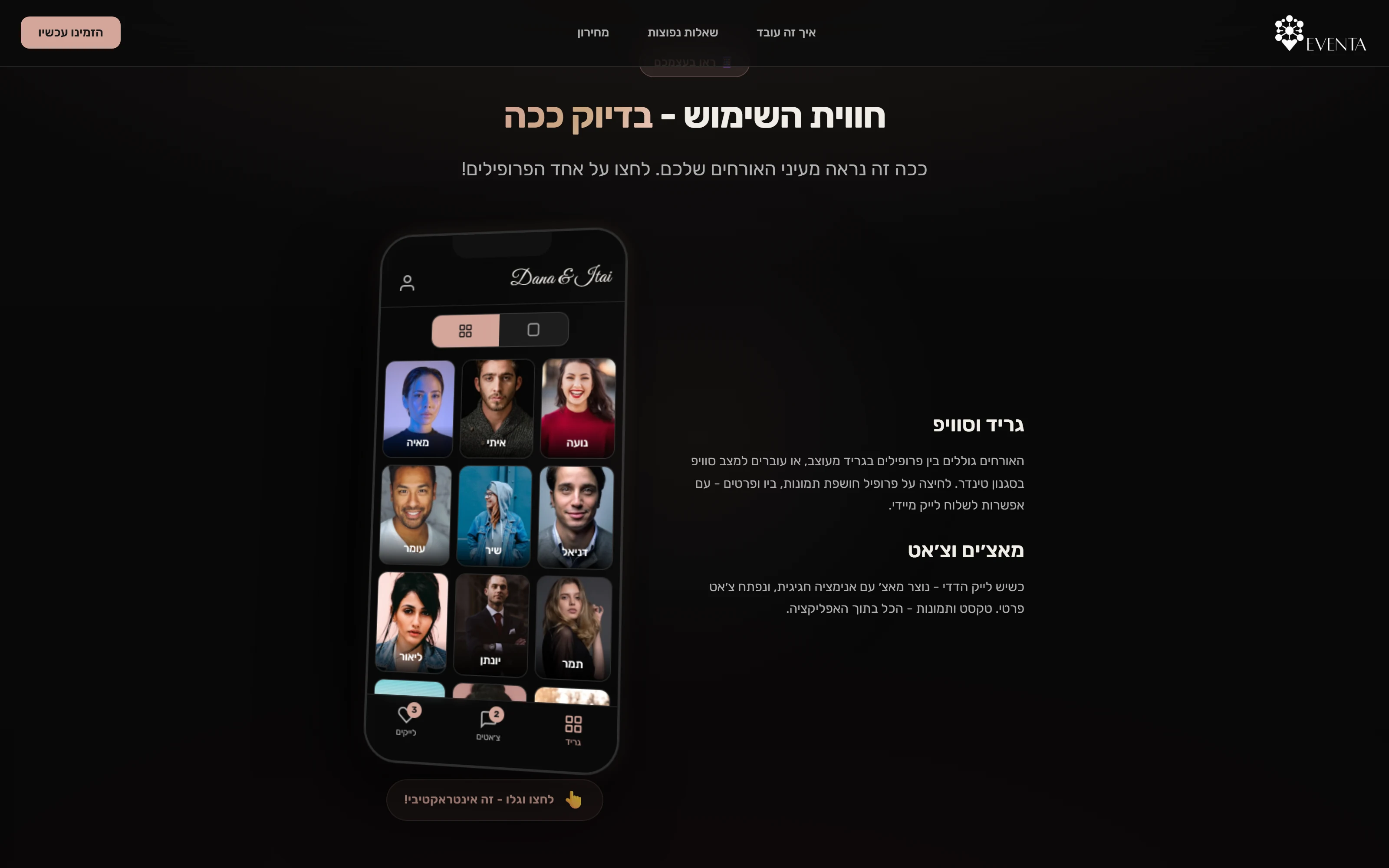
A preview before booking
The original marketing website includes an interactive preview of the guest experience. This is Eventa's authored website demo, separate from the real attendee flow captured below.
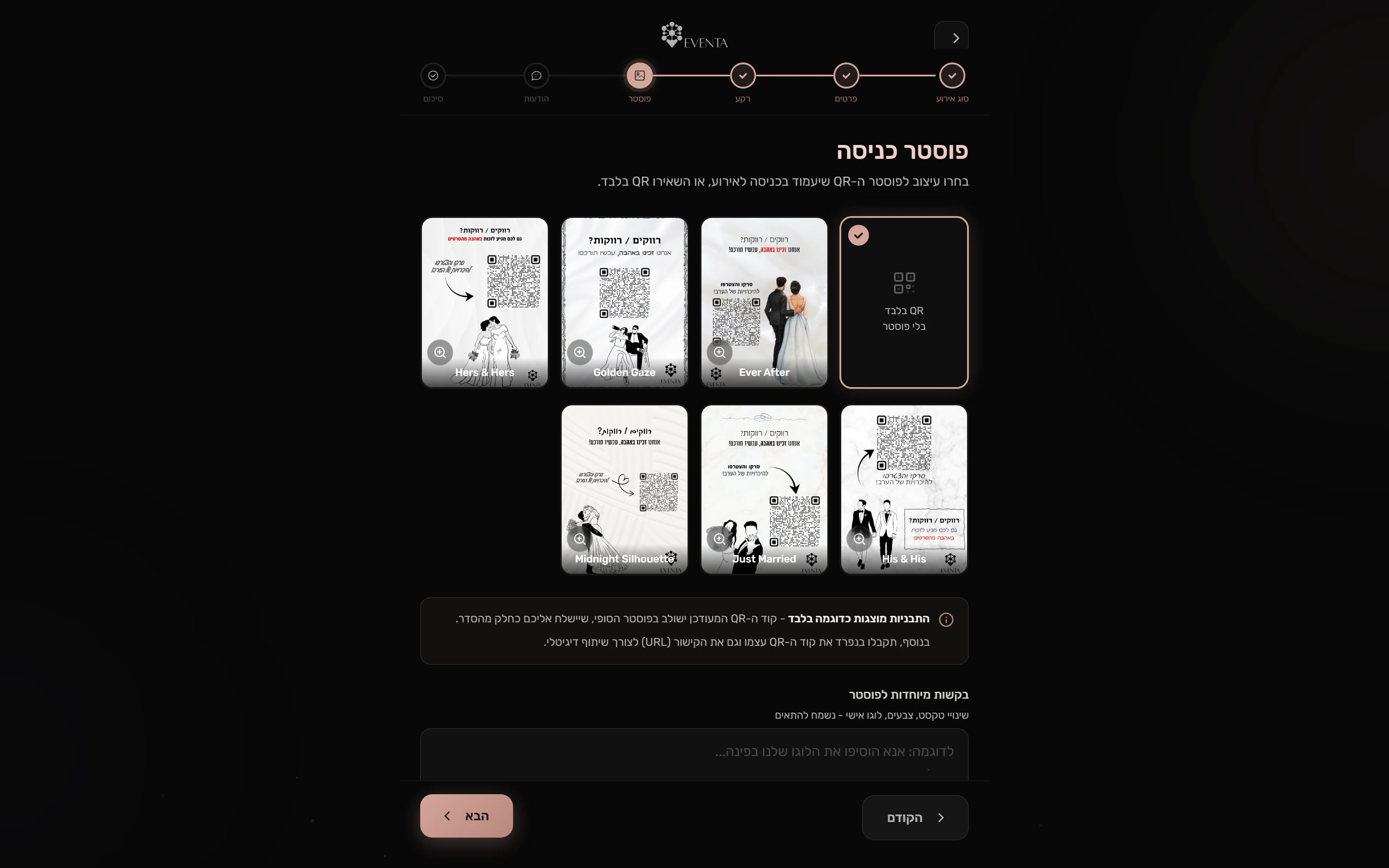
Make the event your own
Customers choose an event type, enter its details and select a QR poster in the original setup wizard.
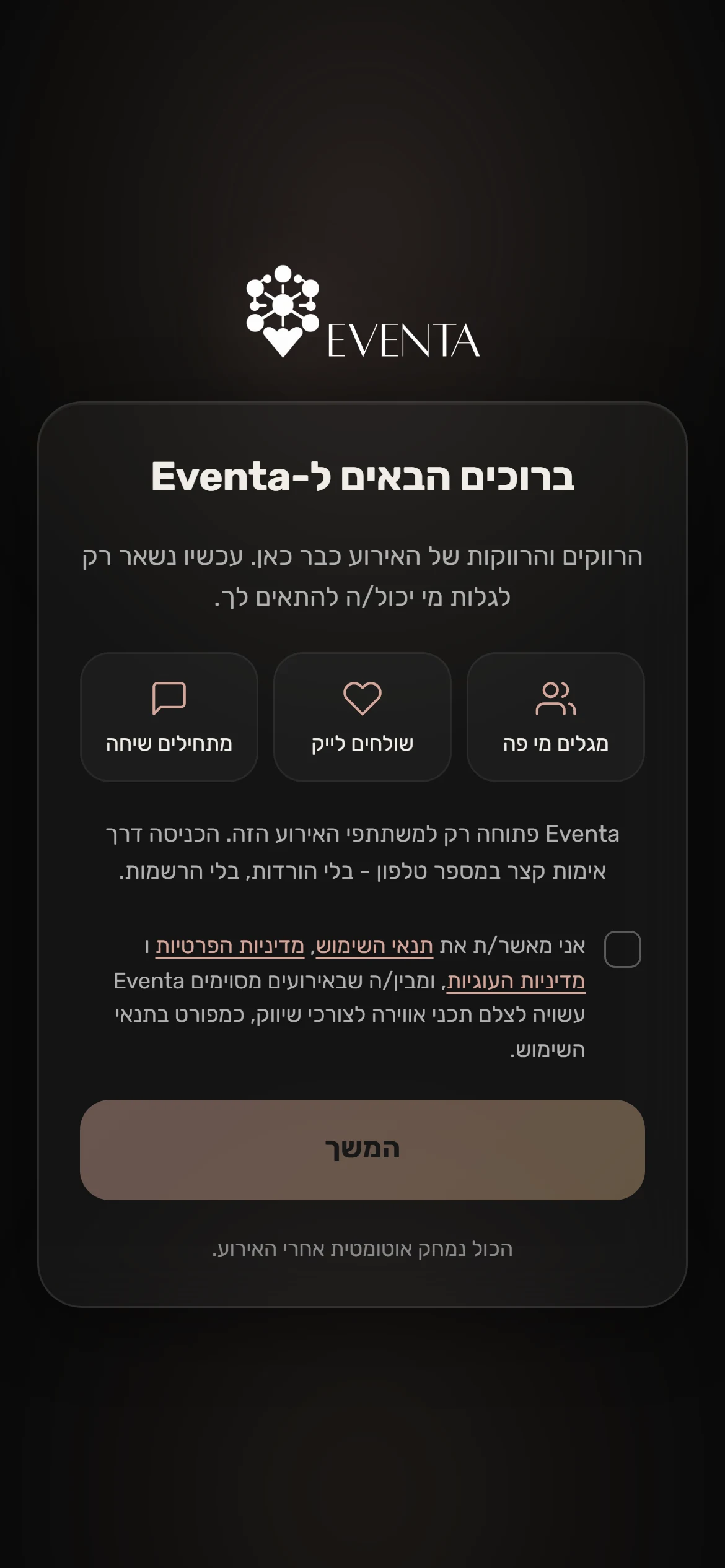
An event-scoped welcome
Guests enter the attendee experience from an event link. The original welcome and consent screen is preserved.
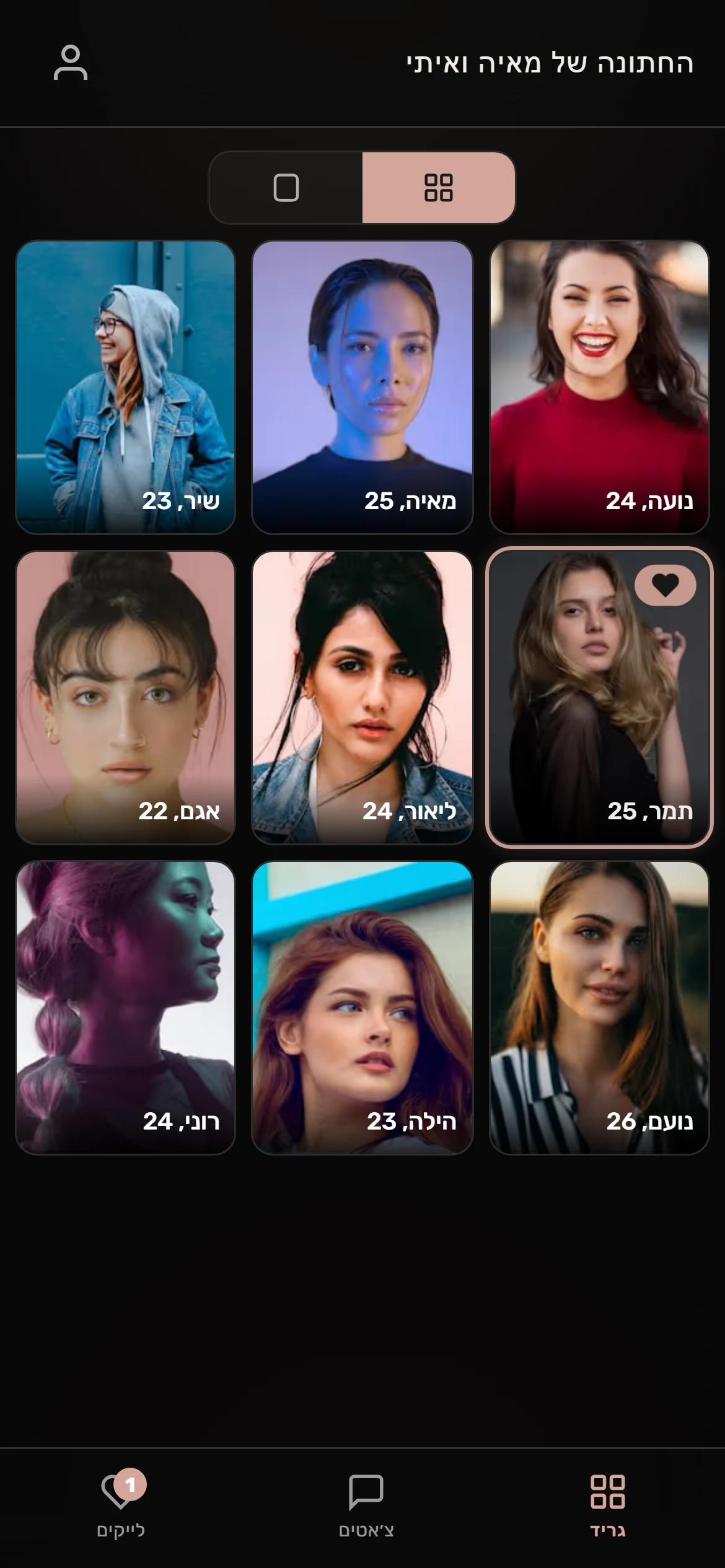
Discover people at the event
The attendee grid is populated by the real local API, including attraction filtering and photo delivery.

A little more than a photo
The original profile view brings together photos, age, city, intentions and a short biography.
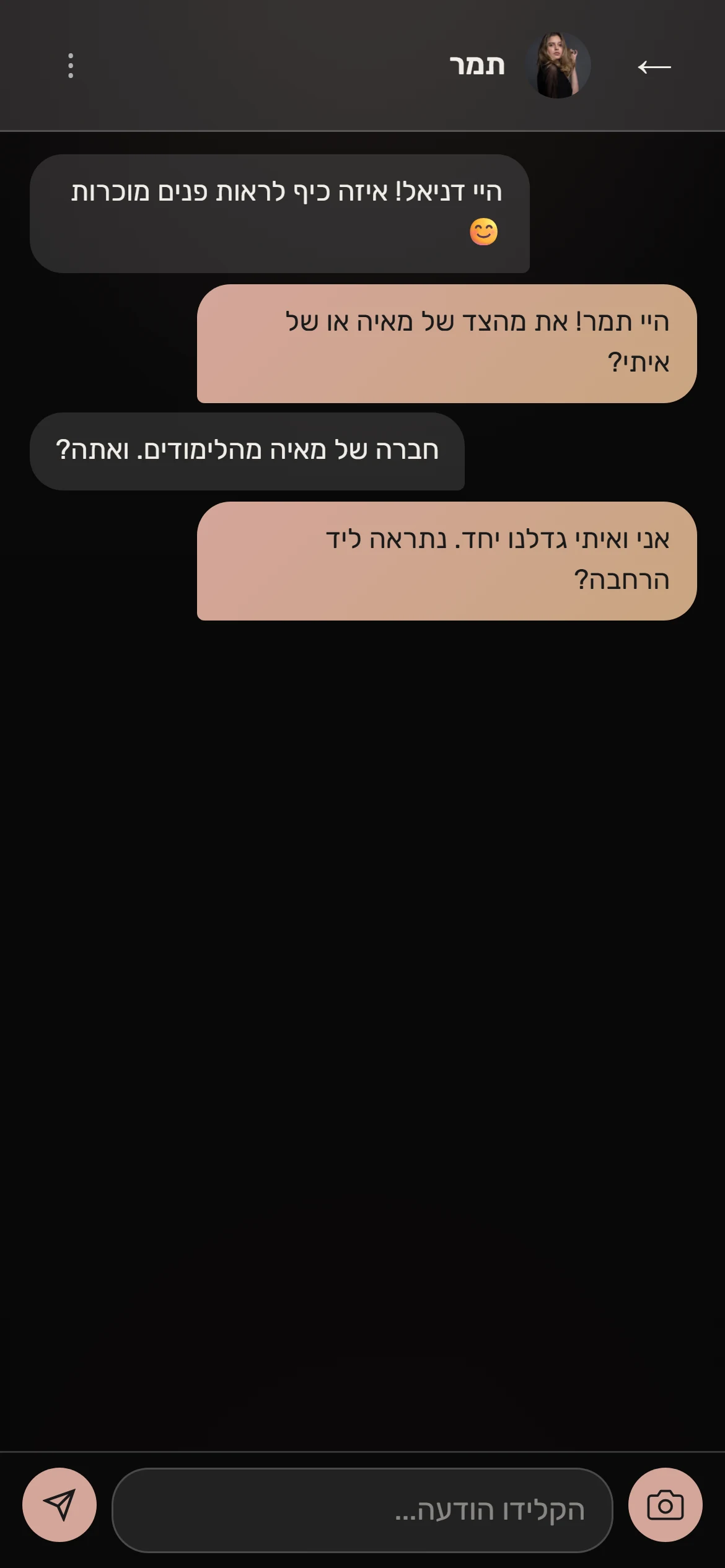
Keep the conversation in the event
The original chat screen displays a fictional conversation stored in the local database.
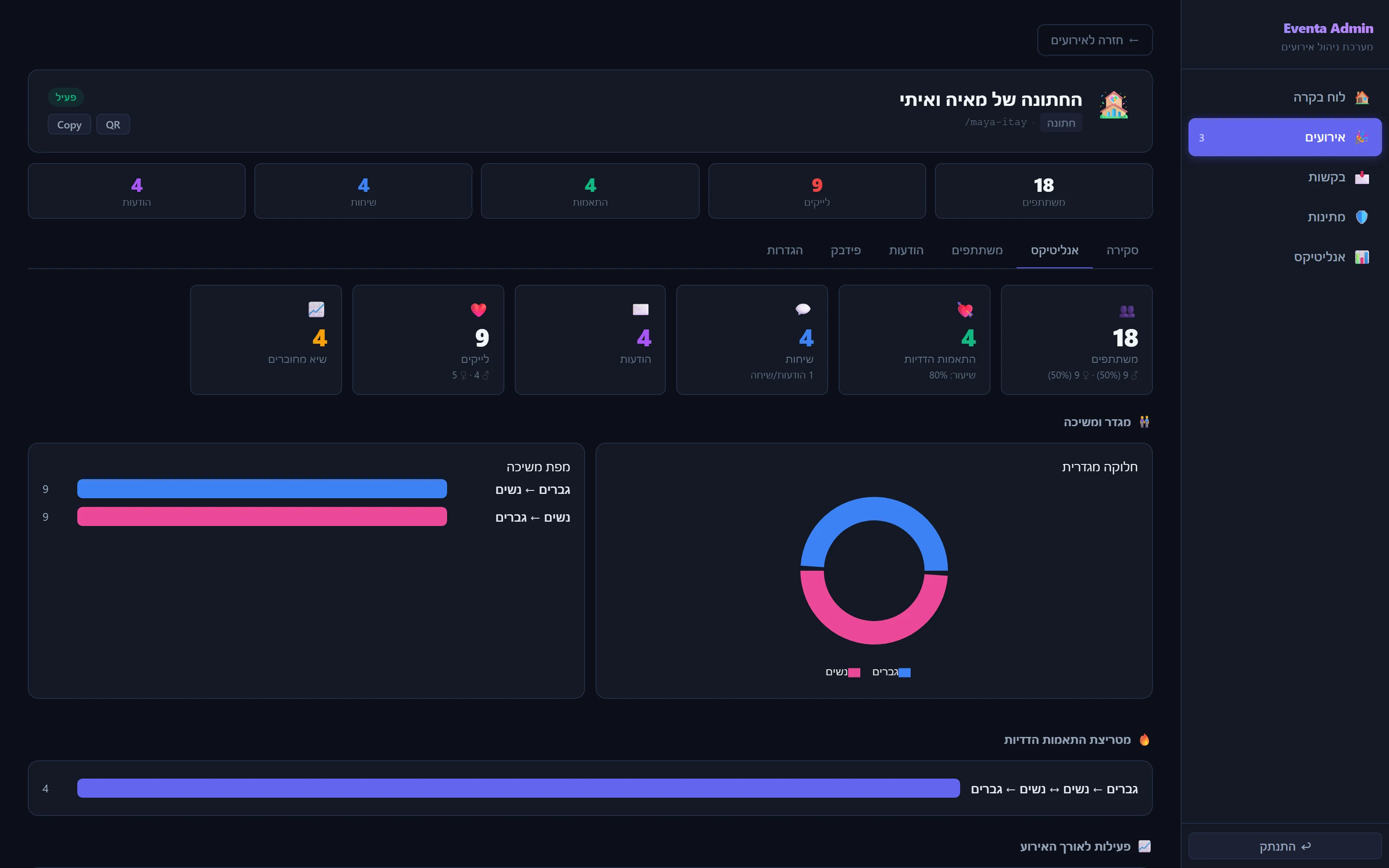
See how the event is unfolding
The organizer console brings event activity, connections and funnel data together. All displayed counts belong to a fictional local event.
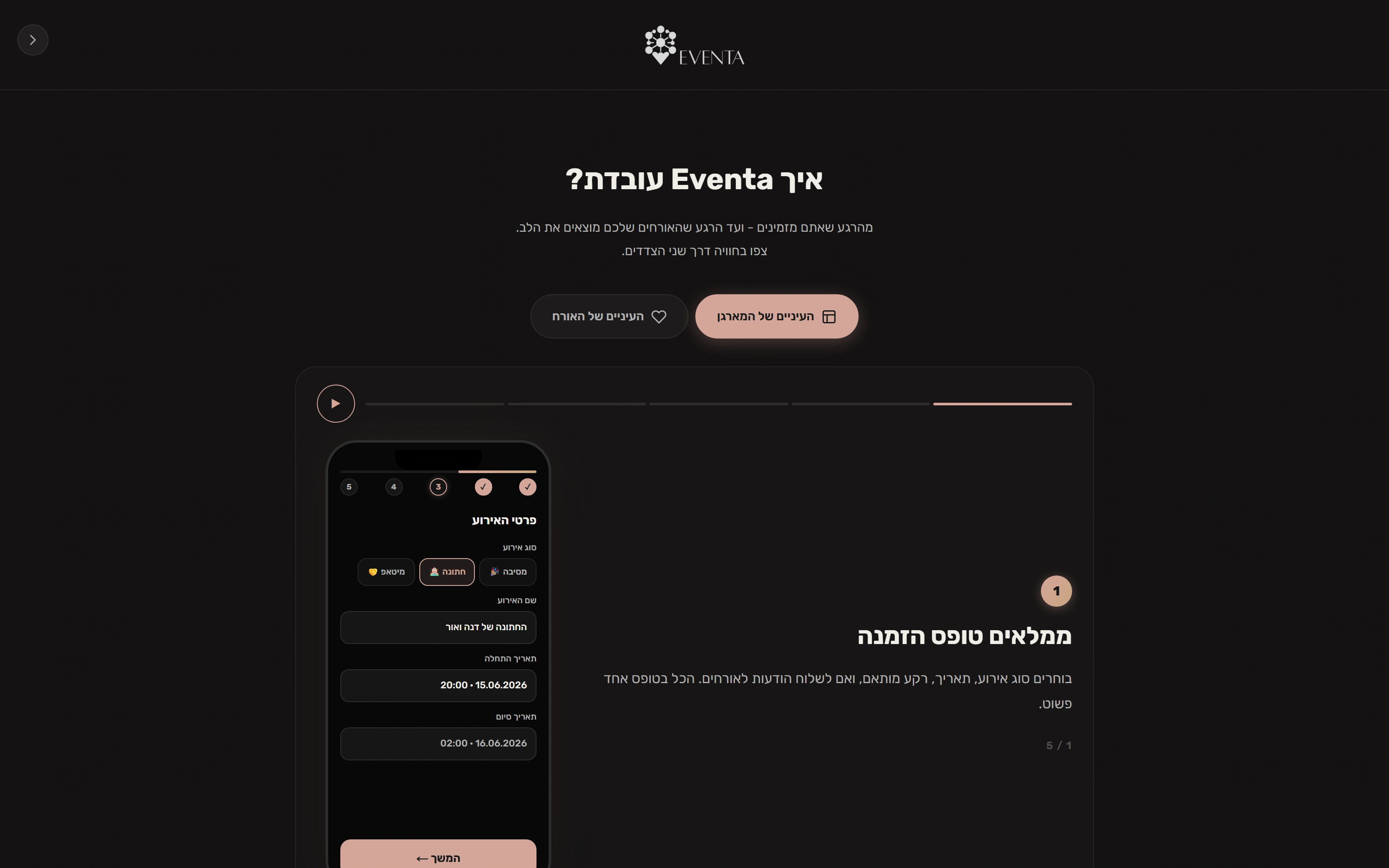
A website that explains both sides
The original how-it-works page lets customers follow the organizer journey. Its phone screens are authored marketing illustrations.
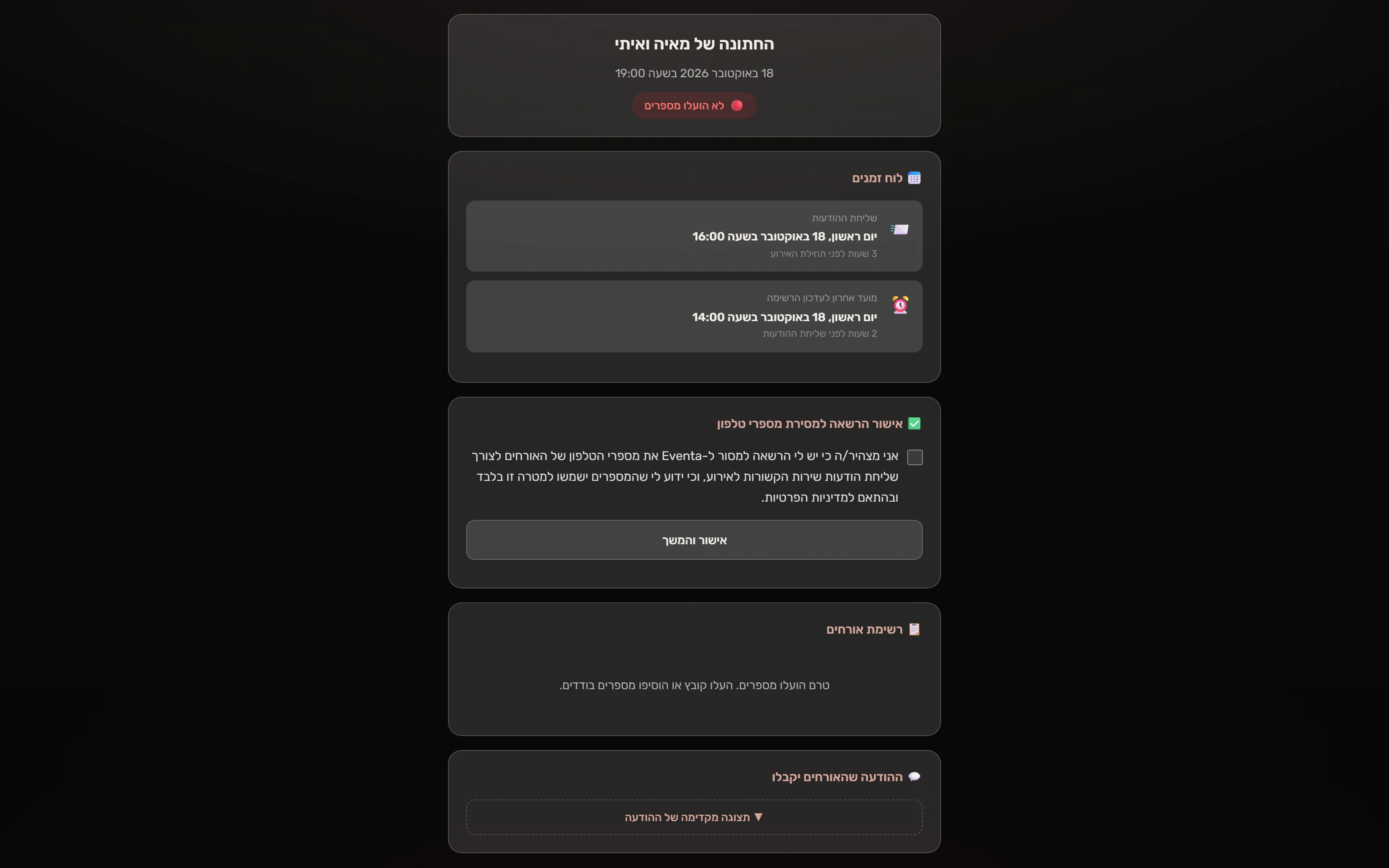
Permission before preparation
The organizer confirms permission to provide guest contacts before the upload tools appear.
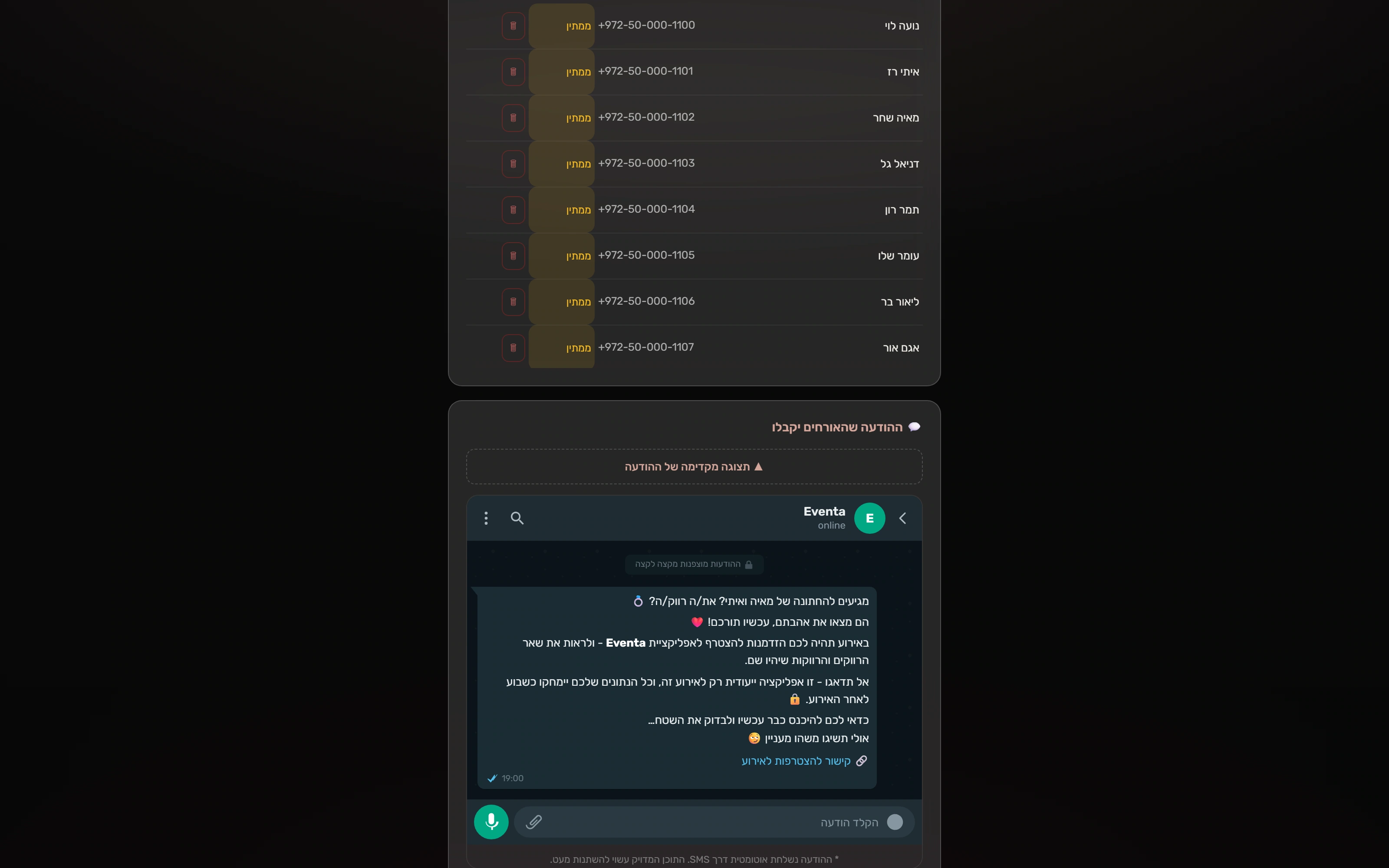
Review the invitation wording
The original portal includes an illustrative message preview and event-relative timing. This is a preview, not proof of SMS delivery or end-to-end encryption.
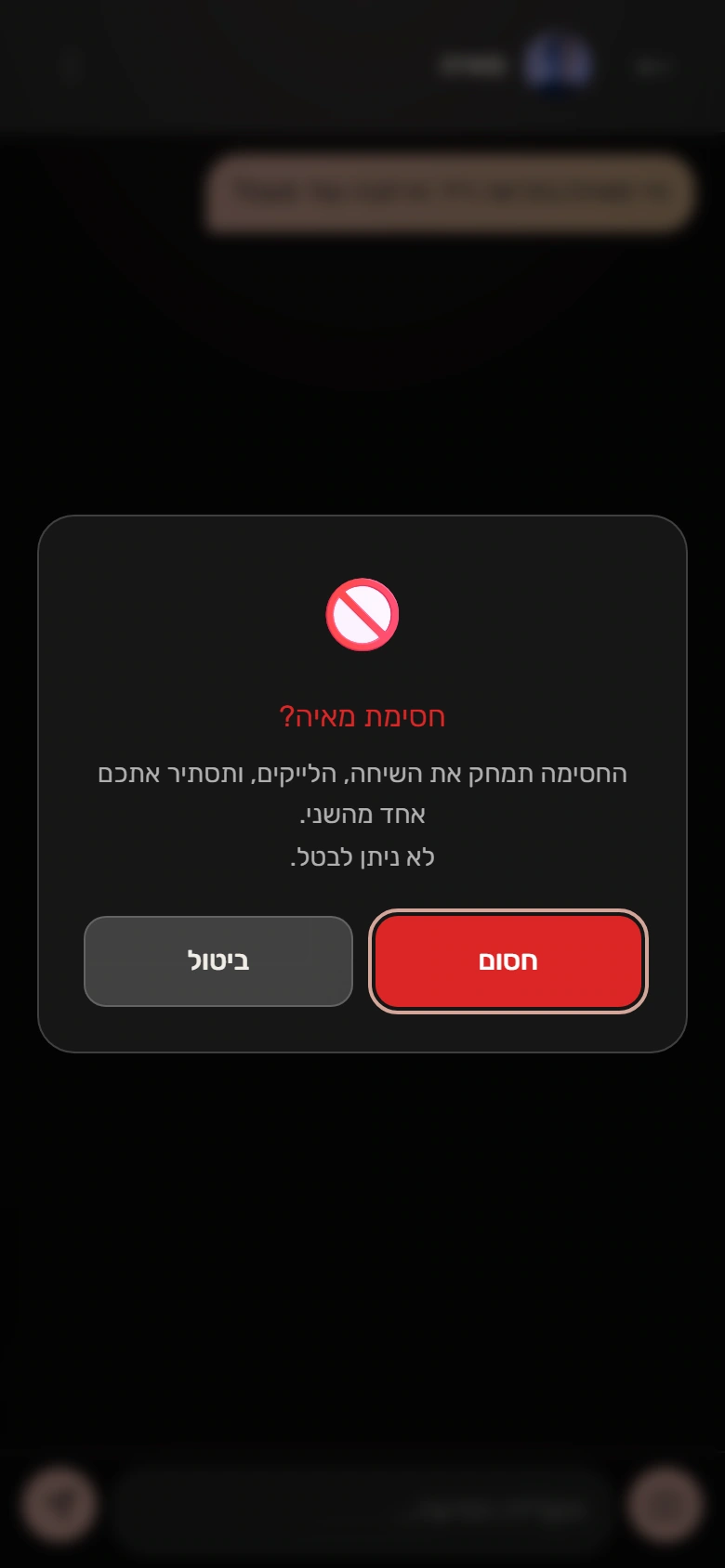
A clear personal boundary
The native confirmation explains the block. Runtime verification confirms the pair’s conversation and message rows are removed.
FOR THE TECHNICALLY CURIOUS
The thinking underneath.
The important boundaries, implementation choices and trade-offs. Open a topic for the details.
- 01
Four experiences
Customer setup, organizer preparation, the mobile guest app and operator administration share a Next.js application.
- 02
Explicit access
Event links, guest sessions and admin access are checked at their respective server routes.
- 03
Durable interactions
PostgreSQL holds profiles, likes and conversations; Storage supplies images and Realtime supports updates.
- 04
Recovery & operation
A local text outbox and refresh paths handle interruptions. Reporting and external providers have separate boundaries.
Next.js · React · TypeScript
Customer setup, token-protected organizer portals, mobile guest routes and operator tools share one application.
Supabase · PostgreSQL
Event, profile, like and conversation data support the product's visibility and access rules.
Server routes · Playwright · Vitest
Server workflows connect event setup and operation, backed by unit and browser-test infrastructure.
01Make event context part of the interaction boundary.
The guest experience is organized under an event route. Protected server handlers resolve the session and event before operating on profiles, likes, conversations and blocks. The organizer’s token-protected portal is separate from authenticated operator administration.
One application can reuse infrastructure across four interfaces, but its route families still need distinct authorization and data scopes. This case demonstrates selected fictional sessions, not a security certification of every route.
02Treat import errors as something an organizer can resolve.
The upload path normalizes contact input and identifies invalid rows and duplicates. The UI collects a consent acknowledgement, and the organizer can inspect the resulting list. The demonstrated upload retained 12 fictional contacts while reporting one duplicate and one invalid row.
The acknowledgement is recorded, but the current upload endpoint does not enforce it server-side. A validated list is preparation evidence, not proof that invitations were delivered. The built-in message preview is a wording preview; its visual encryption badge is not evidence of end-to-end encrypted SMS.
03Keep a text message recoverable across a connection failure.
The chat interface retains pending text in a conversation-scoped outbox. The local store replaces an entry with the same key, tolerates invalid stored data and bounds the queue. Reconnection and the app’s refresh paths let a failed send recover into a real persisted message.
The outbox is local to that browser and designed around text; it is not an offline copy of the entire app. The capture verifies one recovered message and a second-browser receipt, not every retry race or a universal exactly-once guarantee.
04Give personal boundaries concrete server behavior.
Blocking is an explicit guest action backed by a protected server route. In the recorded scenario it creates the block and removes the pair’s conversation and messages. Operational safety analytics belong to the operator’s separate interface.
Blocking and account deletion have different retention behavior. Guest self-deletion anonymizes personal fields while retaining interaction records for analytics; it should not be described as immediate erasure of every message.
05Curate a client report from the same recorded activity.
The reporting layer turns stored event activity into a focused organizer report, while the operator keeps deeper conversion and safety views. The local backend generated and persisted the demonstrated report with AI disabled.
The PDF export and adjacent hourly chart had local rendering problems and are documented in the review. The presentation uses the working native report sections; it does not substitute a repaired chart or claim a successful PDF download.
SCOPEWhat this evidence establishes
- The discontinued product was restored locally with fictional events, contacts and profiles. Its original interface language is preserved in the screenshots; the portfolio explanations are in English.
- The films demonstrate customer configuration, organizer CSV preparation, native reporting, guest recovery and blocking. No order, payment, external SMS/email or paid model request was submitted.
- Original customer-site phone illustrations and message previews are distinct from the real guest application. The case does not repeat unsupported marketing multipliers or encryption claims.
- The isolated capture retains documented local image and development compatibility adjustments. App offline/error states remain visible. The source review records incomplete exports, unconnected admin components and provider-dependent paths.