THE PERSONAL JOB-SEARCH WORKSPACE
Applytide
Find it. Make it yours. Move it forward.
A personal workspace for a job search: capture a posting in your browser, prepare your documents for that role and keep the application’s next step in view.
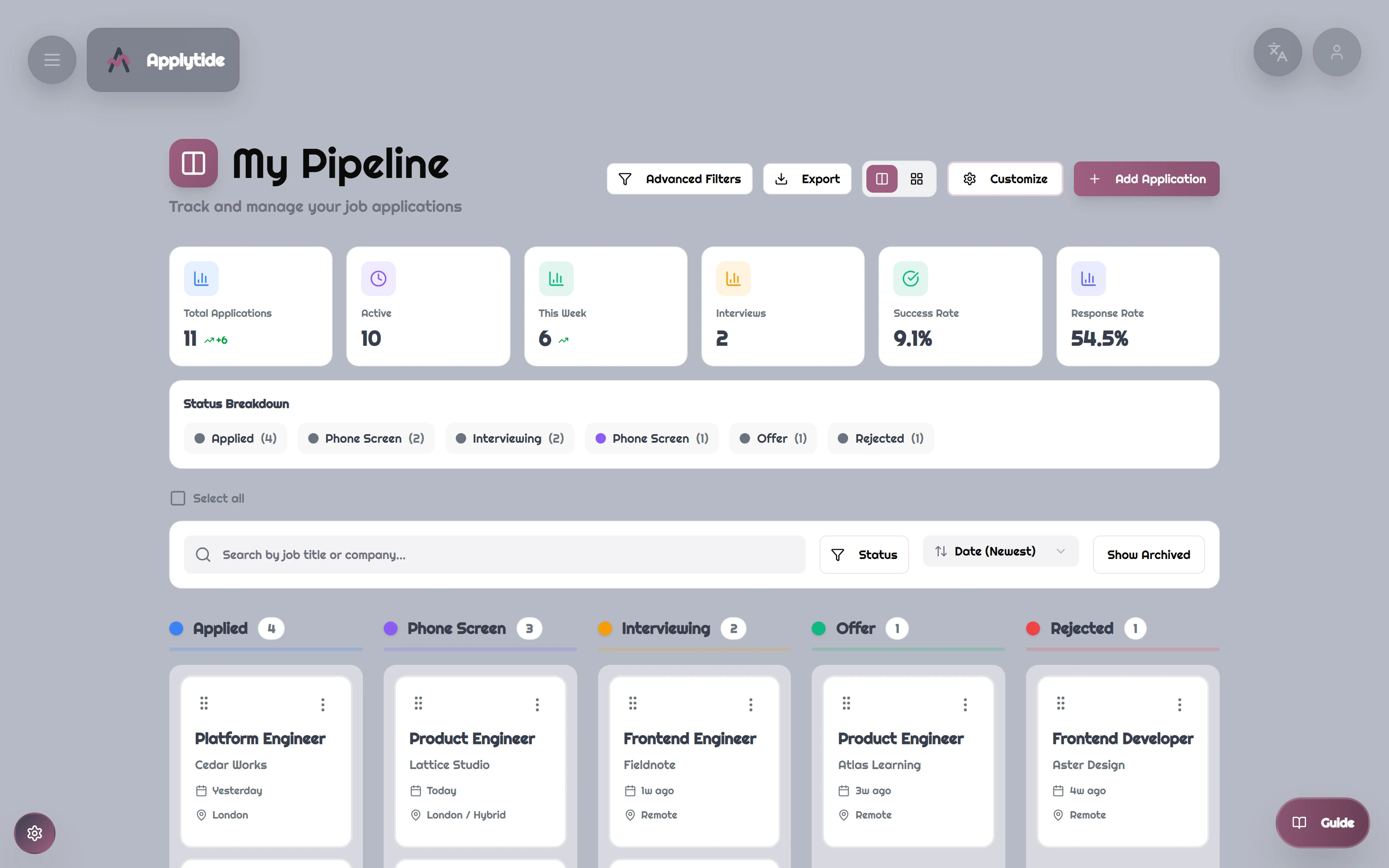
 Personal job-search workspace ↗
Original application. Fictional demo data.↗ Screens open at full resolution
- MY ROLE
- Product · design · full-stack engineering
- CONTEXT
- Solo project · sole creator
- TIMELINE
- Aug 2025 - Apr 2026
- PROJECT STATUS
- Source archived
THE IDEA, IN A MOMENT
Every opportunity has a next step.
A job search is a collection of small decisions. Keep the posting, application, documents and follow-up in one personal workspace.
Where I contributed
I designed and built the complete product: Chrome extension, React interface, FastAPI backend, data model, document tools, and AI cost controls.
Capture the opportunity
That promising tab becomes a real plan.
Save a fictional Northstar Studio posting with the actual installed extension. The role, company and location arrive in the same personal workspace, ready for a closer look.
From a posting to a personal opportunity
An installed extension captures a fictional posting, saves it through the actual backend, and opens the result in the same account.
Read the walkthrough
- Capture the opportunity
An installed browser extension is connected to a real isolated Applytide backend.
- Capture the posting in your browser
The real installed extension captures a clearly labeled fictional local job page. The wait is condensed to 1.25×.
- Keep a structured opportunity
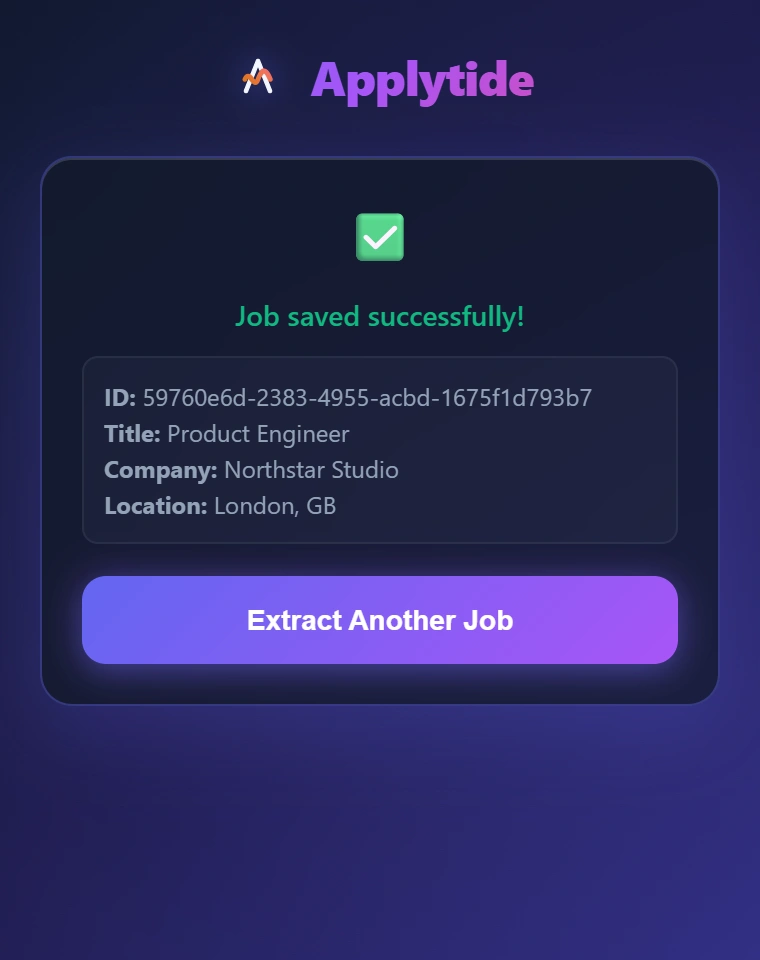
The original popup confirms that the backend saved the extracted role, company and location.
- Find it in the same personal workspace
The opportunity appears in Alex’s authenticated jobs list.
- Read the saved context before applying
The original detail view retains the posting text and location, with its existing Apply to Job action.
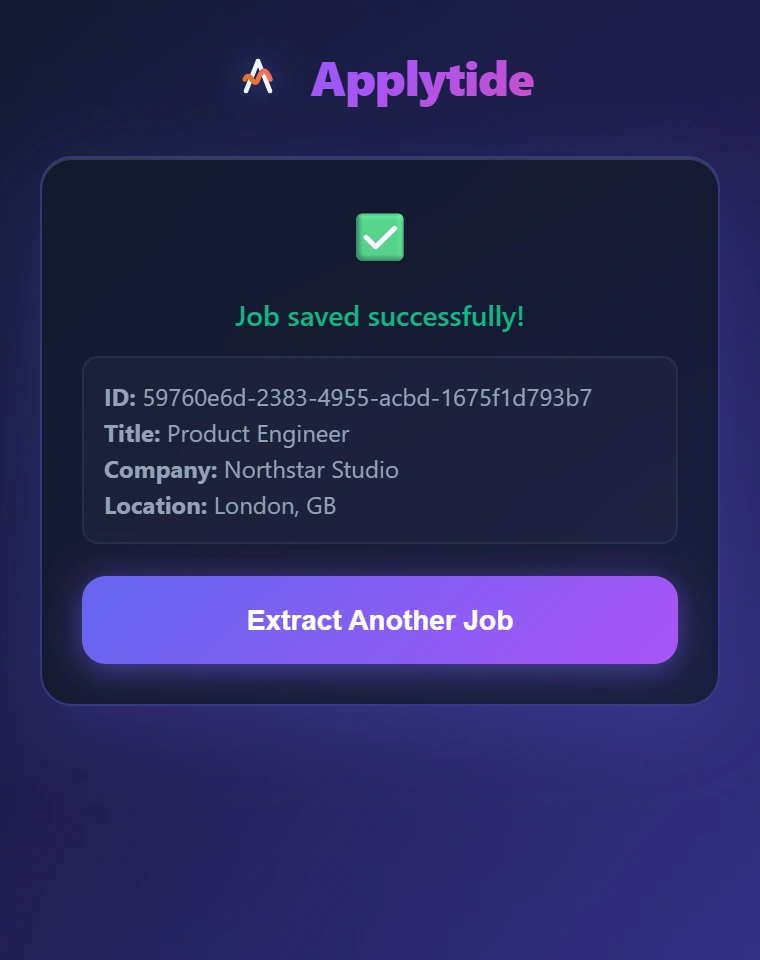
A saved opportunity, not another bookmark
The original extension confirms the real backend record, including Product Engineer, Northstar Studio and London.
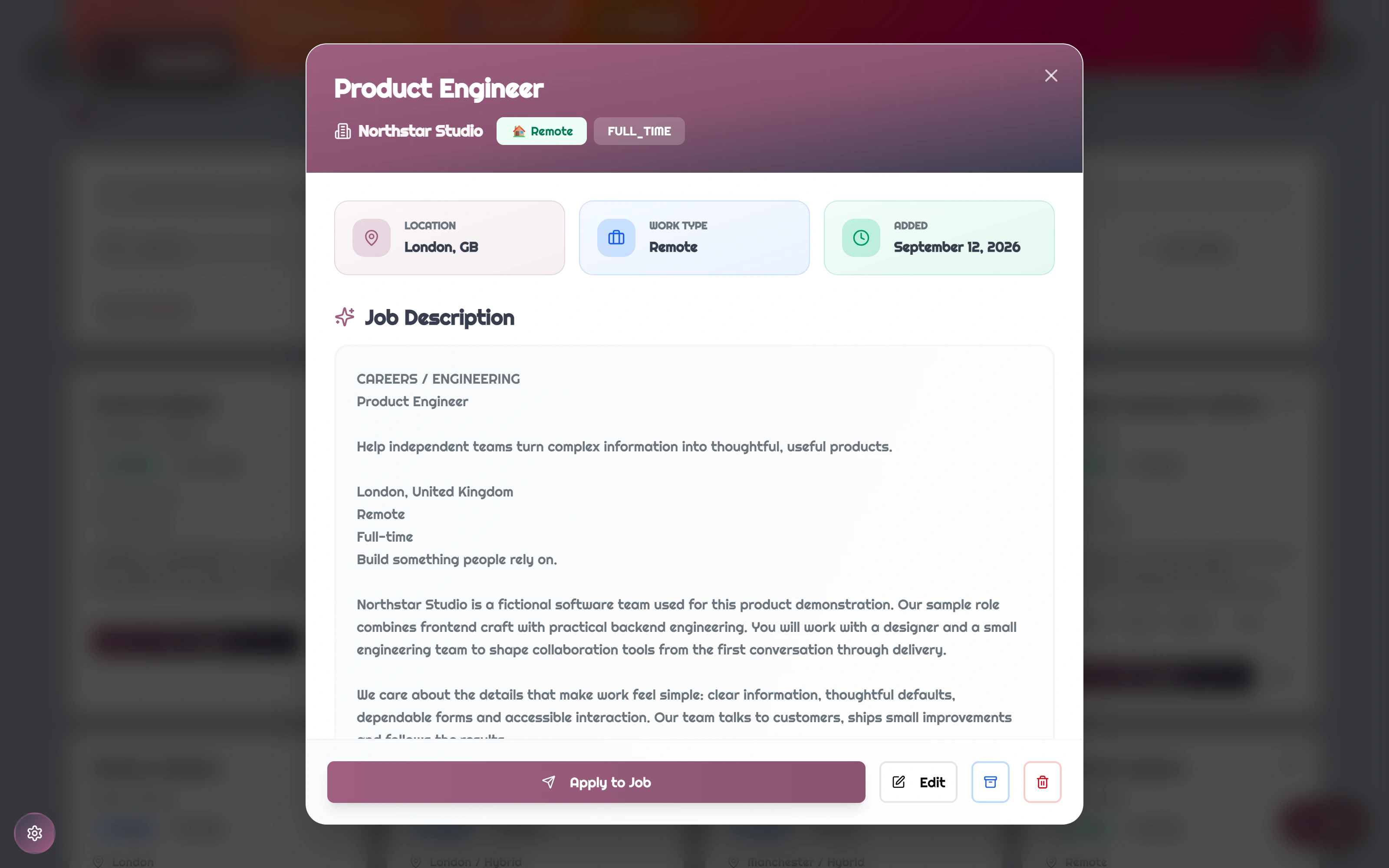
Keep the original posting in context
The opportunity opens inside Alex’s personal workspace, retaining the captured role, location and description.
Prepare for the role
A resume, with the right context.
Choose a saved role inside the document review. Look past the score to the category explanations and missing terms - useful prompts for an honest revision.
Review a resume in the context of one role
Alex previews the uploaded resume, selects a saved Fieldnote role, and inspects the real local heuristic result by category and keyword.
Read the walkthrough
- A role-aware review
A real uploaded fictional resume and a saved role provide the review context.
- Start with the original document
Alex opens the uploaded sample resume inside the original document viewer.
- Choose the role, not a generic score
The original analysis dialog selects the saved Fieldnote Frontend Engineer role as context.
- Run the local checks
With no model configured, the real backend returns its rule-based scoring fallback. These scores are not an employer ATS assessment.
- Read the reasons behind the result
Category scores identify strong technical coverage alongside weaker role wording.
- Turn the result into a revision list
The original result shows found and missing keywords, with a reminder to mirror wording only where truthful.
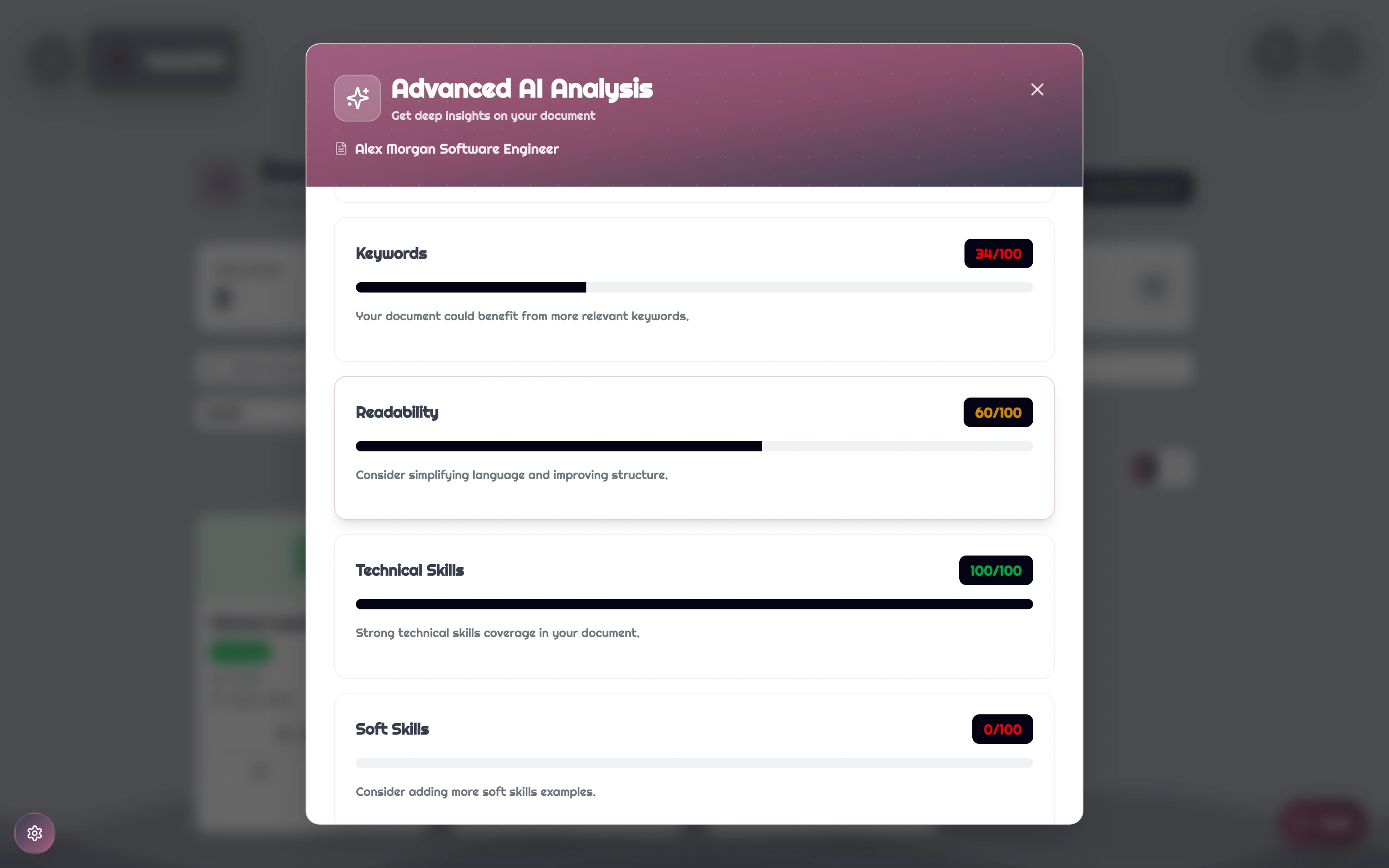
Look beyond the headline score
The original local result separates keyword coverage, readability, technical skills and soft skills. These category values provide review prompts.
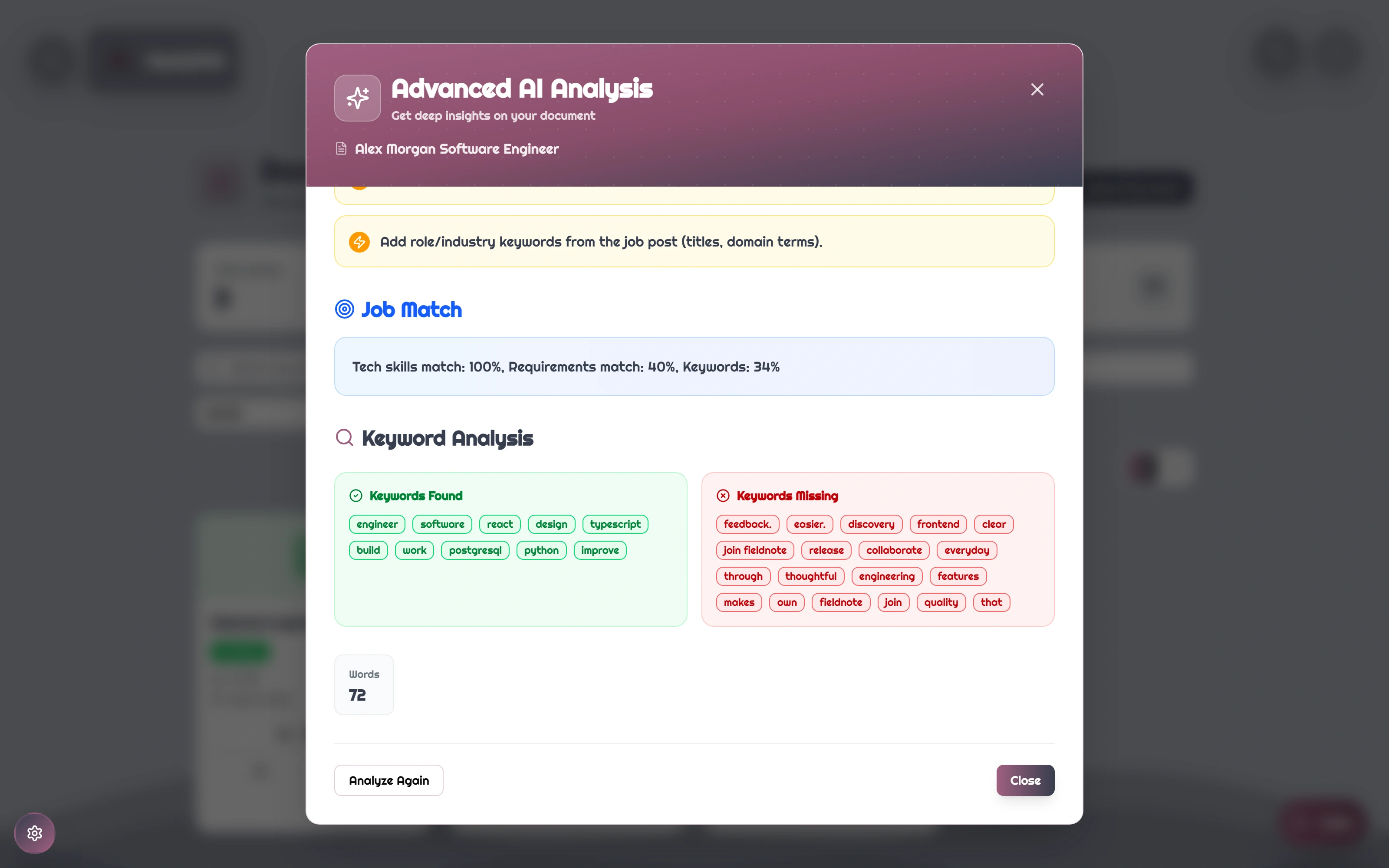
See the wording behind the result
The original result separates found and missing terms and reports role-specific matches. All results here come from the local heuristic fallback; no model was called.
Keep moving
Every opportunity has a next step.
Move an application forward, preserve the conversation in a note, keep documents close and set a follow-up. The pieces stay with the search instead of disappearing into separate tabs.
One opportunity, all the way to the next conversation
Alex saves a role at Lattice Studio, attaches an existing resume, advances the application, saves a note and schedules an interview reminder.
Read the walkthrough
- Save a role worth pursuing
Save a fictional Product Engineer role through the original manual-entry form.
- Attach the right resume
Select an uploaded PDF and attach it to the application record.
- Move to Phone Screen
Update the application stage through the original pipeline menu.
- Keep the conversation in context
Save a note with useful context for the next interview.
- Schedule the next conversation
Create a dated reminder within the application.
- Return to your follow-ups
Open the reminder list and see the saved follow-up in the same account.
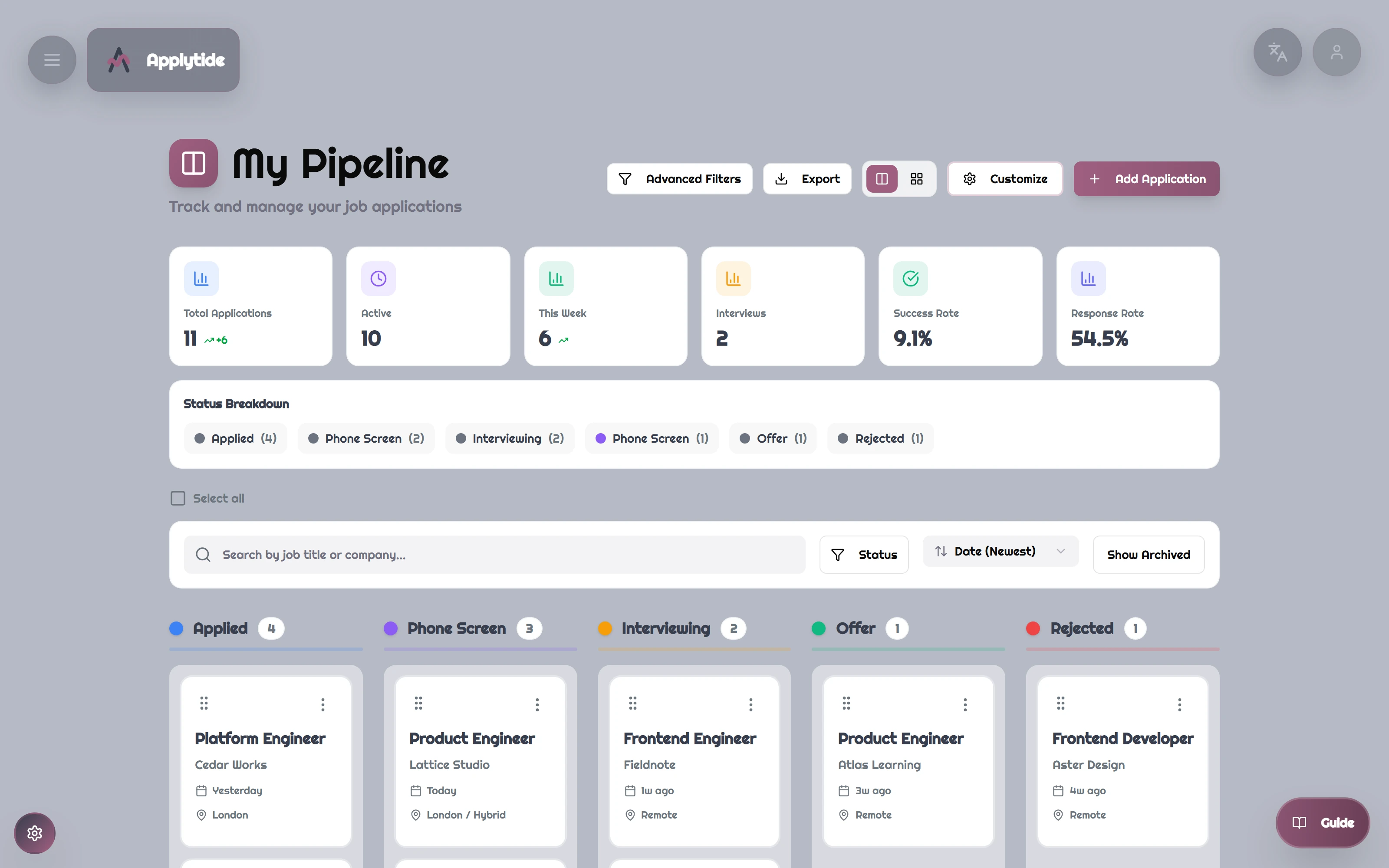
From application to interview
Alex can see the applications grouped by stage and open the context for each opportunity.
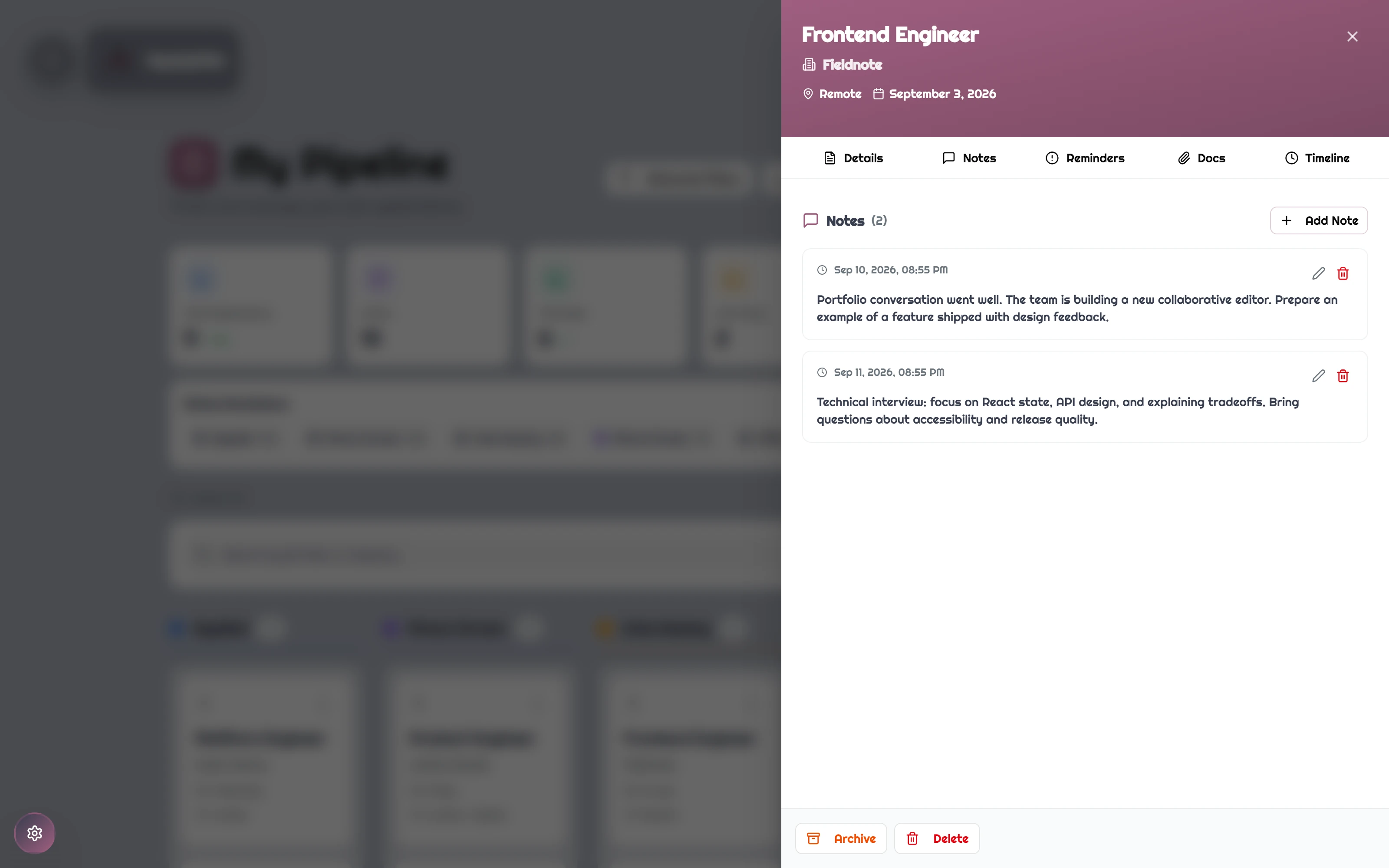
Context beside the application
Fieldnote’s application keeps the portfolio conversation and technical-interview preparation together.
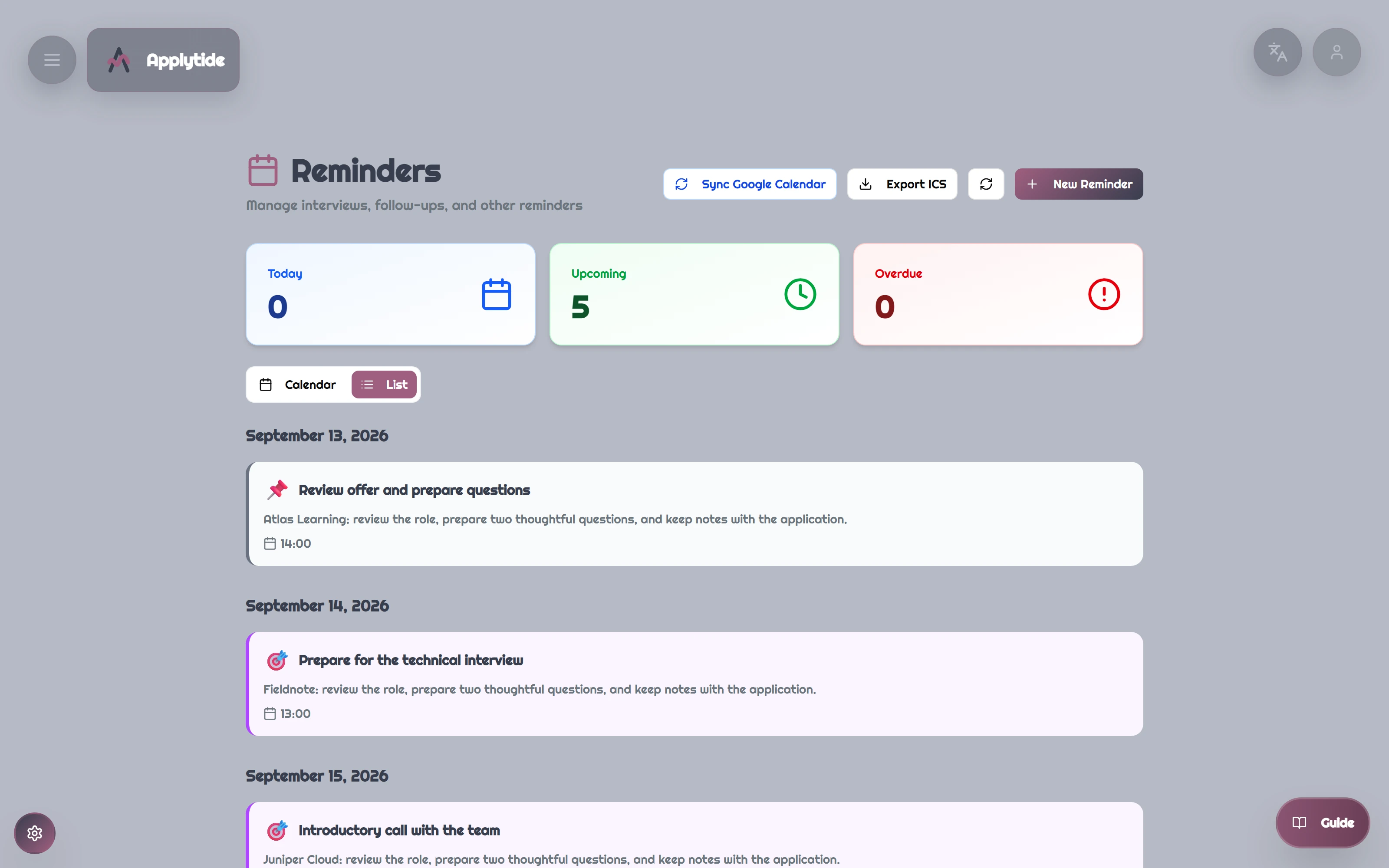
The next conversation, remembered
Upcoming interview preparation and follow-ups belong to Alex’s individual workspace.
More of the product 6 additional screens
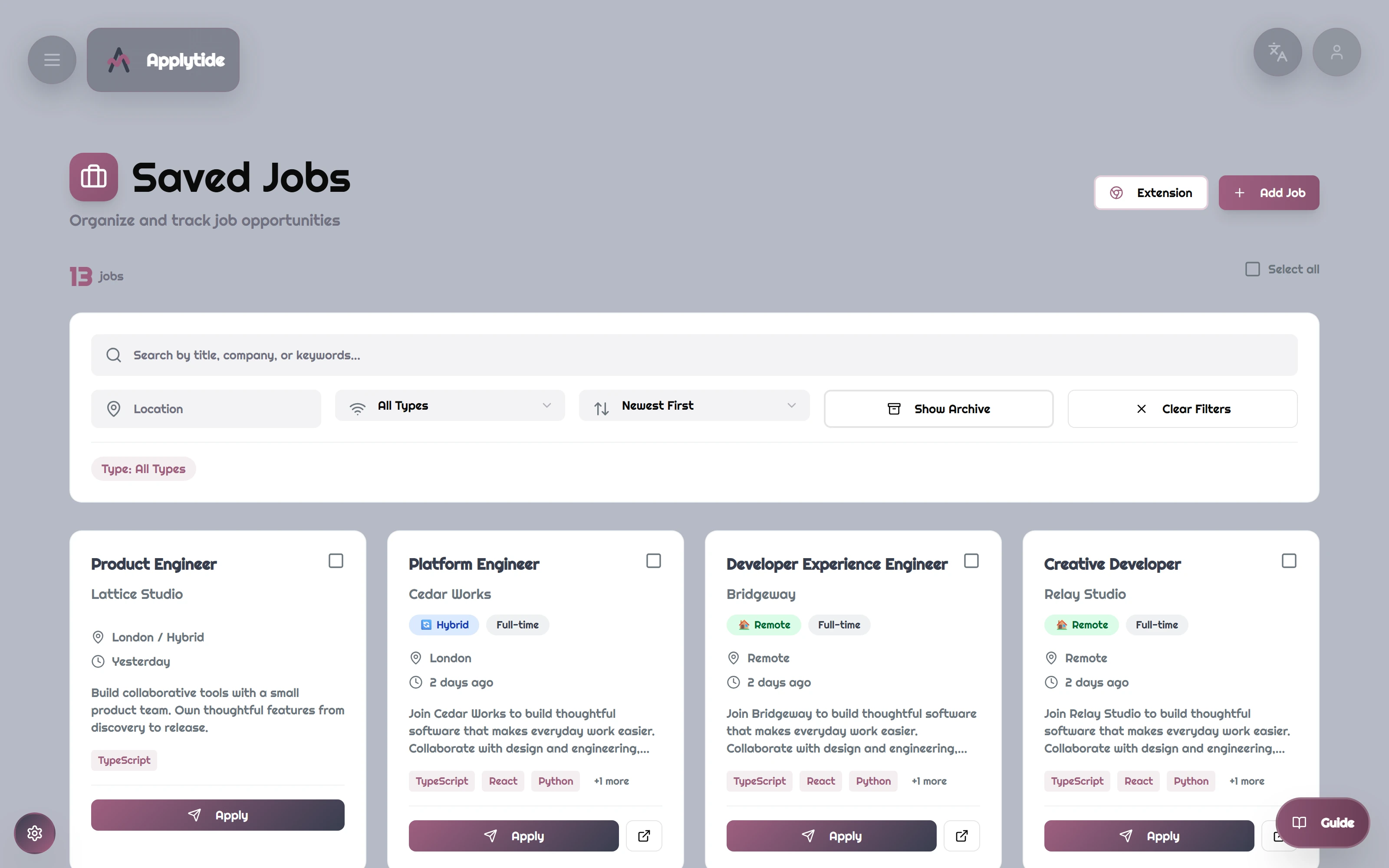
Saved opportunities
Alex keeps prospective roles, requirements and application actions in one searchable job collection.
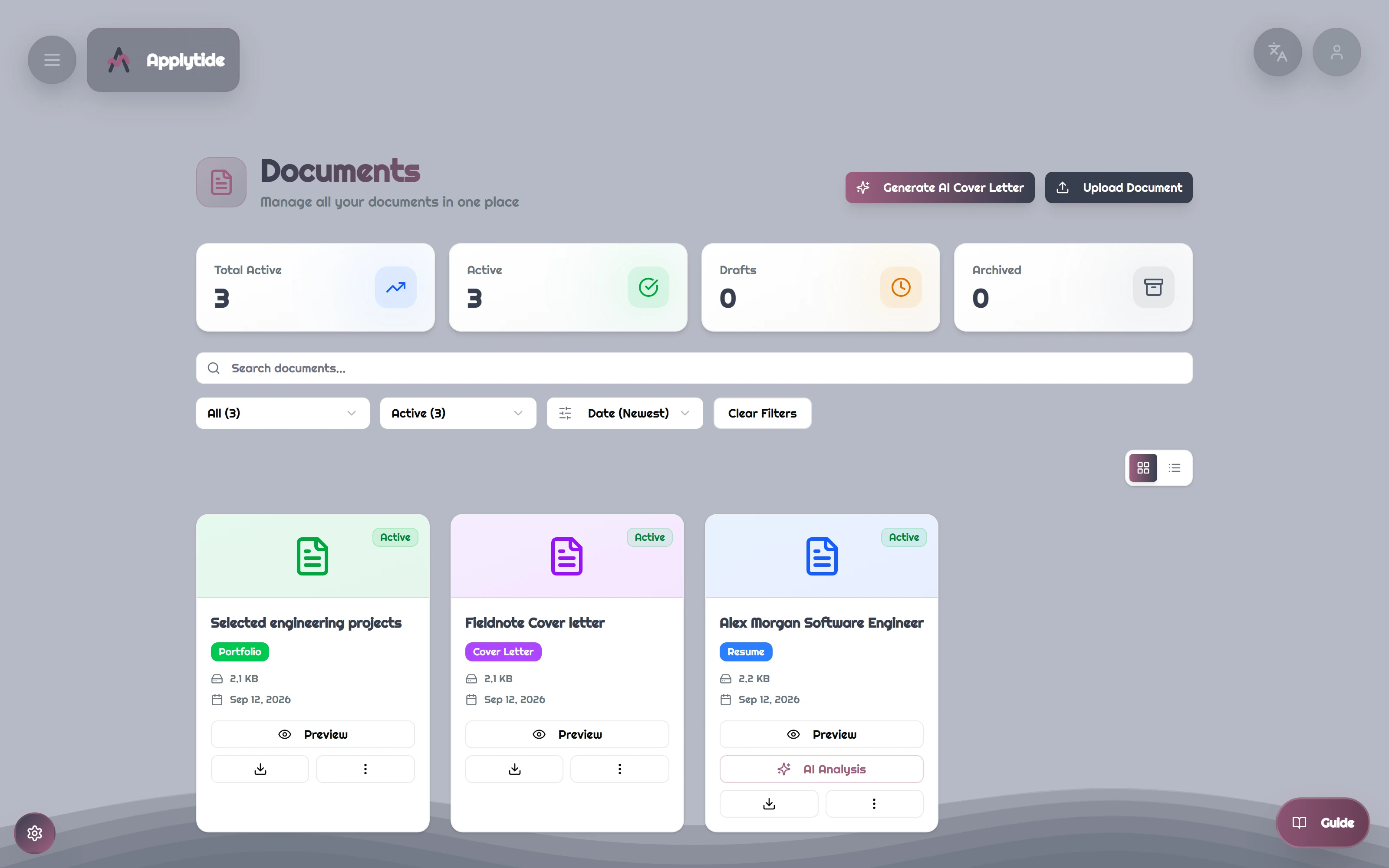
Documents ready to attach
A resume, cover letter and portfolio PDF are available inside Alex’s document library.
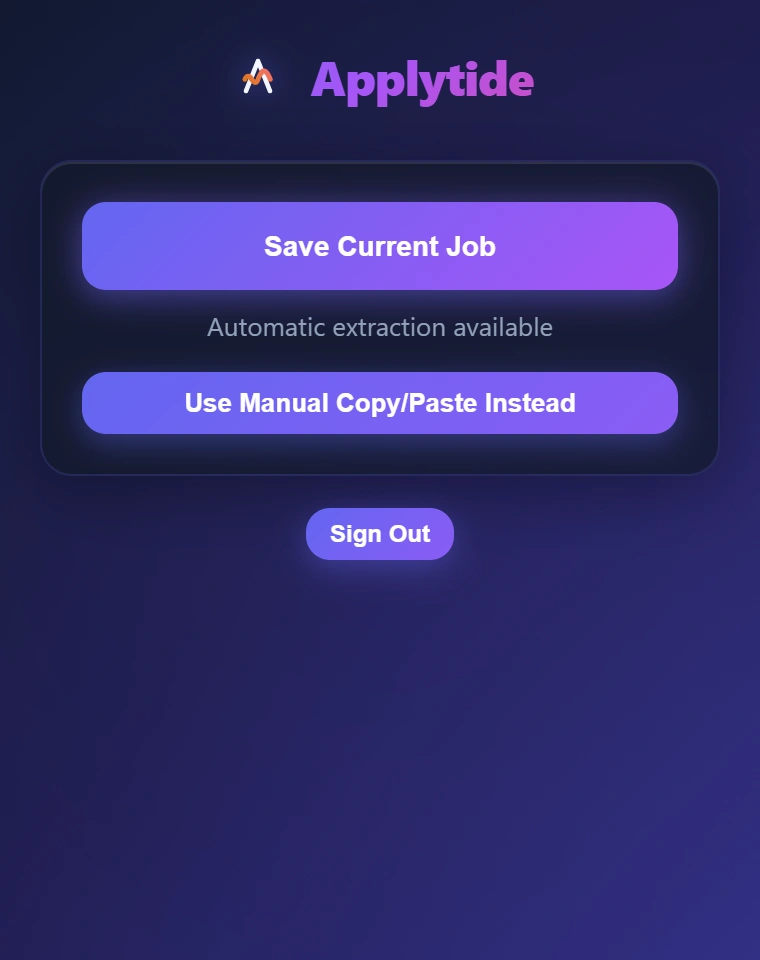
Capture without leaving the posting
The actual installed extension is ready to capture the active fictional job page.
Keep the source document close
The original document viewer opens Alex’s uploaded fictional sample PDF.
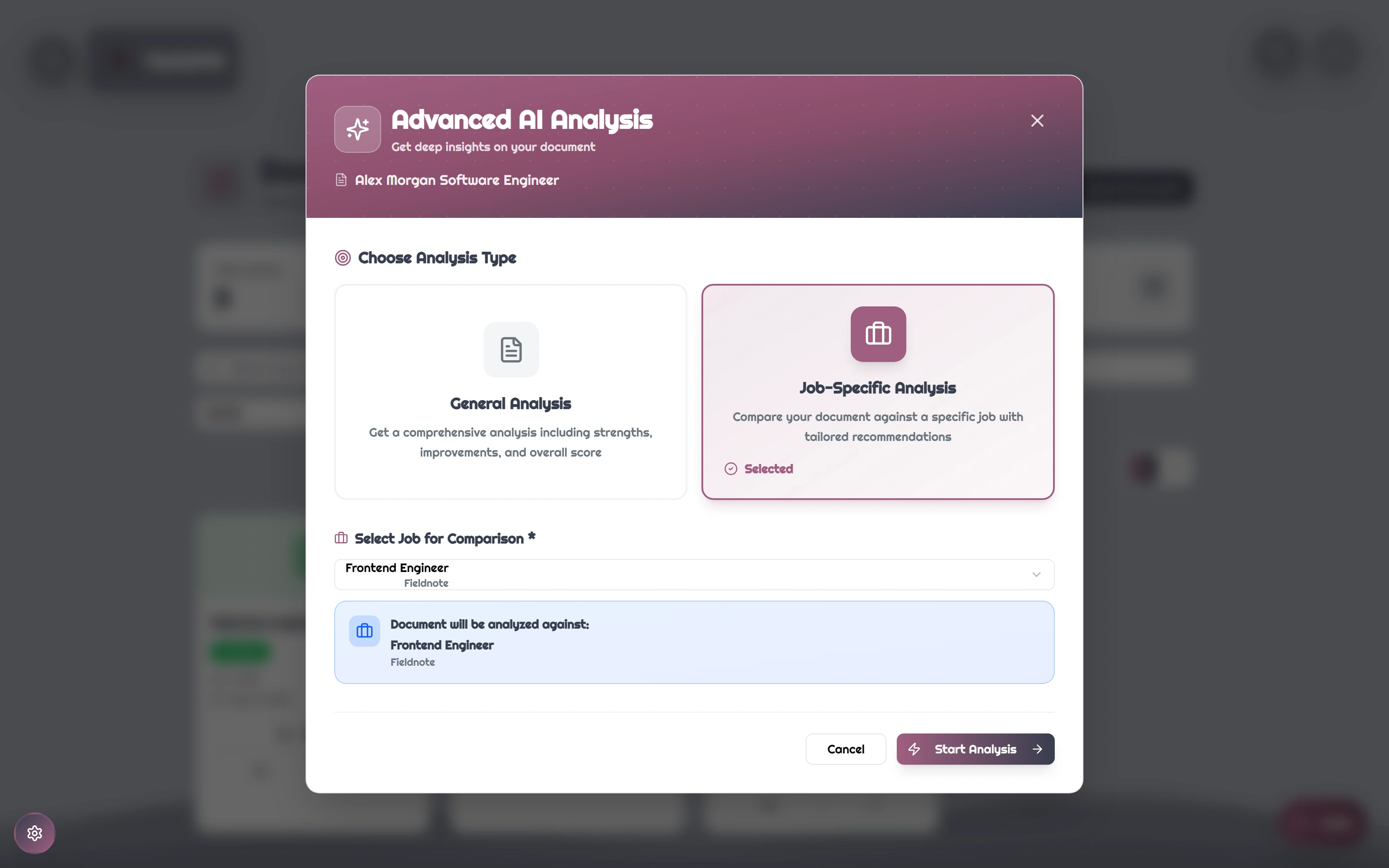
Choose the role you are applying for
The original analysis dialog selects Fieldnote’s saved Frontend Engineer role before running the review.
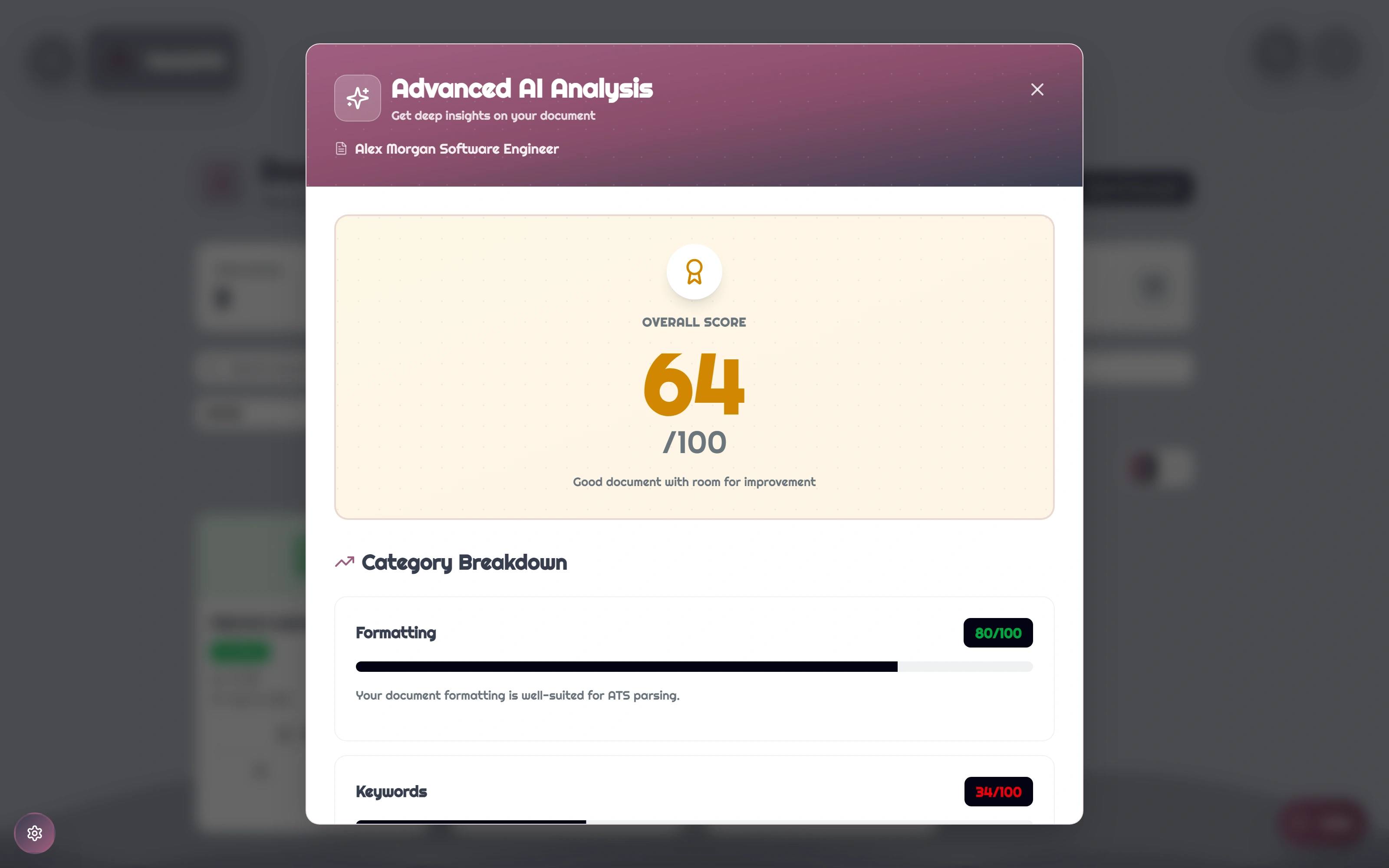
A local review result
The backend’s rule-based fallback returns 64/100 for this fictional resume and role. This is an internal heuristic, not an employer ATS assessment.
FOR THE TECHNICALLY CURIOUS
The thinking underneath.
The important boundaries, implementation choices and trade-offs. Open a topic for the details.
- 01
Capture at the source
The MV3 extension collects structured, rendered and readable page content with a per-tab capture guard.
- 02
Keep an owned record
Authenticated FastAPI routes connect the posting to a user’s jobs, applications and documents.
- 03
Review in context
Resume text and the selected role feed a content-sensitive cache, local rules and optional providers.
- 04
Account for the work
PostgreSQL records, Redis controls and provider-usage attribution support the application boundary.
React · TypeScript · Chrome MV3
An authenticated workspace manages the search. A browser extension provides a separate capture entry point.
FastAPI · PostgreSQL · Redis
API and domain layers handle user records, documents, sessions and usage controls.
Scheduler · React Email · AI budget
Email rendering and scheduled infrastructure are separate from requests. Optional model usage has accounting and configurable controls; delivery is not demonstrated.
01Extract useful page data before asking a model.
The extension gathers JobPosting data, rendered DOM and readable content. The backend merges staged extraction results. A per-tab guard prevents overlapping captures, and a short cache avoids repeating work on the same page.
A varied web page can still produce missing fields or duplicated description text. The successful HTML path does not establish compatibility with every job board; pasted-text extraction has a separate model requirement.
02Cache the content, not just the document name.
Role-aware analysis keys include document and job IDs plus hashes of resume text and job context. Changing the source material changes the cache identity, even when the underlying record is the same.
Cached analysis expires after 30 days. The local fallback checks terms, structure and readability heuristics; a higher internal score is not evidence of better hiring outcomes.
03Separate request limits from spending guarantees.
Provider accounting records user, model, token usage, estimated cost, latency and success. Redis-backed limits and a daily spend check provide operating controls around optional model features.
The daily budget check fails open if Redis errors, while particular per-user AI limiters fail closed. These controls should not be described as a hard global spending guarantee under concurrent requests or infrastructure failure.
04Keep account access close to the data boundary.
Current-user resolution loads the account before protected operations; document services check ownership. Session rotation and revocation live in the auth routes. Realtime connections use short-lived, one-use Redis tickets rather than long-lived credentials in the connection URL.
The captured flows verify one fictional account’s records, not a security audit of every endpoint. The ticket and session lifecycle were source-reviewed; external realtime notification delivery was not demonstrated.
SCOPEWhat this evidence establishes
- The archived source was run locally with PostgreSQL, Redis and fictional account data. This page does not imply an active hosted service or real customer adoption.
- The installed extension, saved opportunity and selected-role document analysis were exercised against the real backend. Paid model calls, external email and push delivery were disabled.
- The original UI calls document review AI analysis. The recording explicitly labels the actual local rule-based fallback; no model response was fabricated.
- The review found incomplete notification, filtering and document-shortcut behavior. Failed paths are documented in the source review and excluded from successful demonstrations.