Teach, notice, respond
One classroom. The full context.
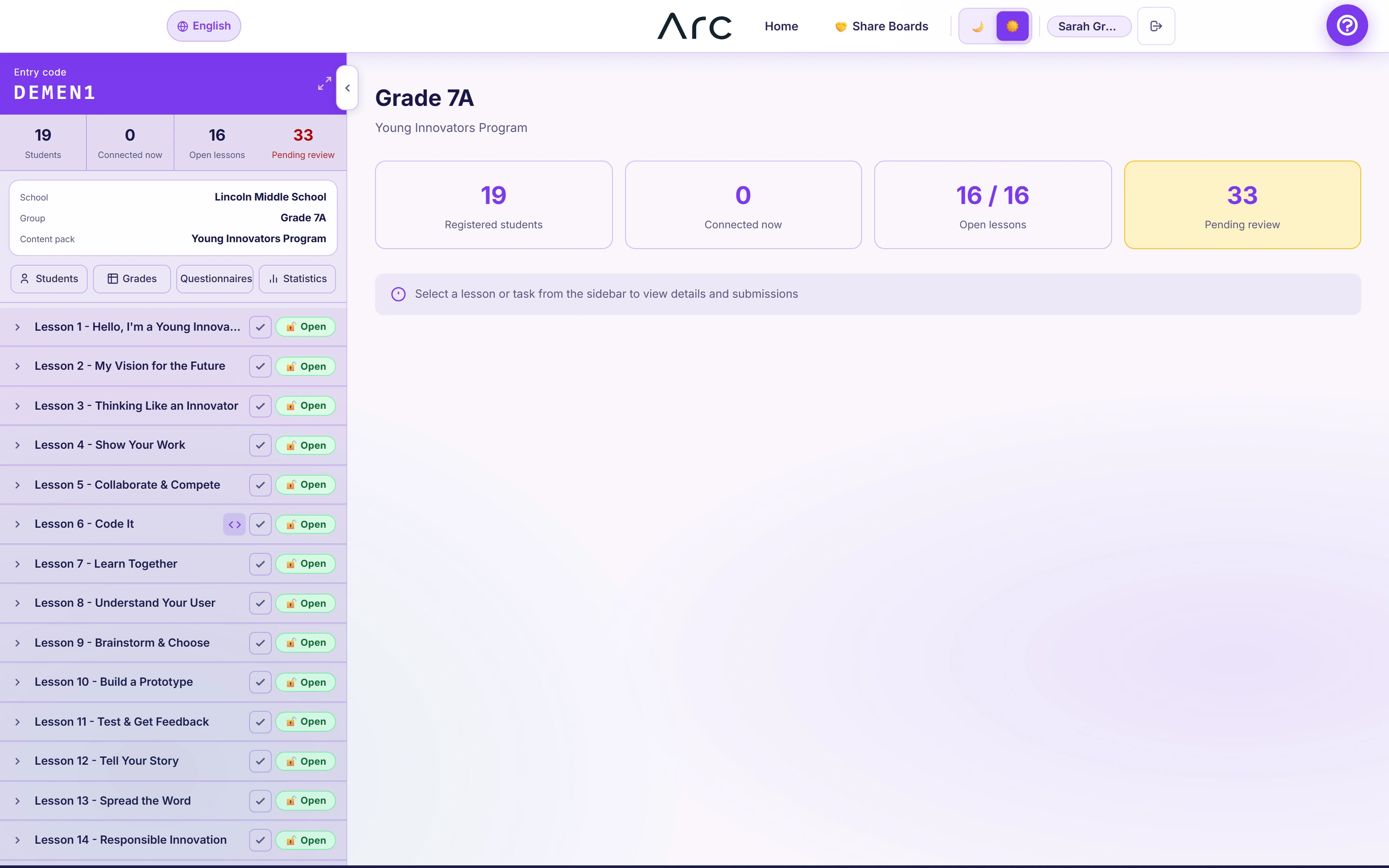
A lesson tree keeps activities, visibility and student work together. Inspect a lesson or activity without changing its state.
Python foundations · Lesson 02
Decisions & loops
Active lesson- 1Read a decisionGuided activity · mini-lessonOpen
- 2A helpful study plannerProgramming · instructor reviewOpen
- 3Explain your reasoningReflection · written responseLocked
A lesson is one gate. An activity is another.
Opening a lesson does not release all its activities. Locking the lesson locks its activities too; releasing an individual activity opens its lesson.
Finished does not mean gone.
Completed lessons remain inspectable in the classroom tree. The instructor can return to their materials and student work.
Open the classroom gradebookWhat this part of Arc does
- Current content pack
- Lesson and activity visibility
- Entry code and rotation
- Student and submission counts
- Finished lesson archive
This is a browsable portfolio interpretation of Arc’s workflows with fictional examples. Navigation, filtering and theme previews work here; editing, execution and platform services belong to the original application.
Inside the original application.
Real Arc screens and recordings, captured locally with fictional people and work.
Source references & review notes
app/Platform/Portals/Instructor/Controllers/InstructorClassroomController.phpapp/Platform/Portals/Instructor/Services/InstructorClassroomSidebarPresenter.phpapp/Platform/Domain/Lesson/LessonReleaseService.php
Source reviewed at development revision 5549bf96. Original captures have their own pinned revisions; the live platform has a separate release.