Teach, notice, respond
Six ways to think together.
Each session family has its own teaching rhythm and live board. Open a sample board to see the differences.
Quiz Battle
Questions, answer counts and a shared reveal
Question → answers → resultsInspect sample boardLive Cloud
A class’s words gathered around a prompt
Prompt → contributions → cloudInspect sample boardClass heatmap
Place a response on an image
Image → positions → patternInspect sample boardStructured debate
Two positions, with room for reasons
Position → round → contributionInspect sample boardTeam escape room
Team progress through a shared challenge
Teams → rooms → resultsInspect sample boardBranching scenario
A class decision that changes the path
Node → votes → instructor choiceInspect sample boardThe real two-sided Quiz Battle flow has a recorded local demonstration. The other boards here explain source-verified session capabilities with fictional, static states.
What this part of Arc does
- Quiz Battle
- Live Cloud
- Class heatmap
- Structured debate
- Team escape room
- Branching scenario
This is a browsable portfolio interpretation of Arc’s workflows with fictional examples. Navigation, filtering and theme previews work here; editing, execution and platform services belong to the original application.
Inside the original application.
Real Arc screens and recordings, captured locally with fictional people and work.
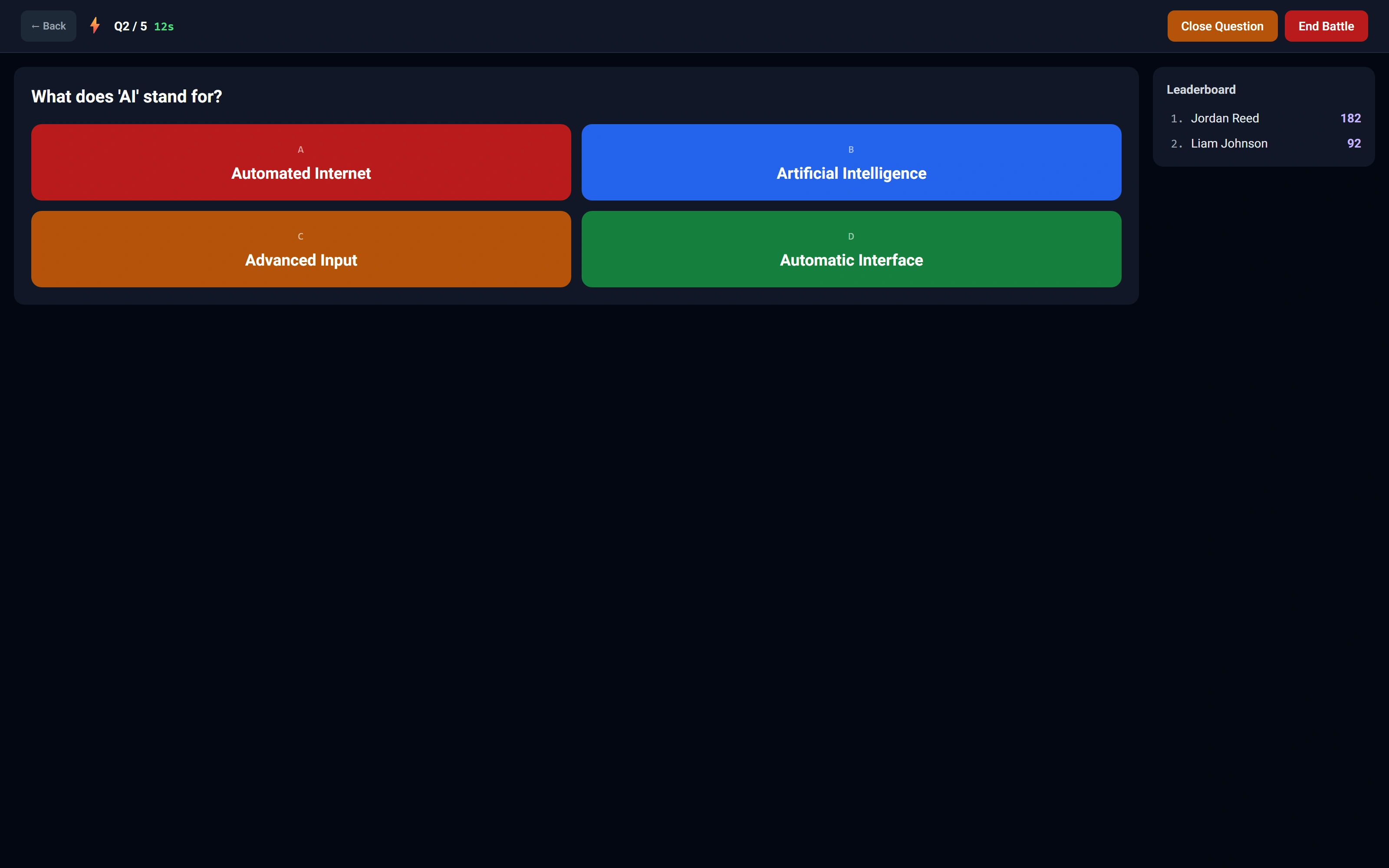
The instructor sees the shared session
Question controls and a two-participant leaderboard remain in the classroom view.
Watch this workflow in Arc
One classroom. Two views.
Follow a real quiz session from the student answer to the instructor controls and classroom scores.
Read the walkthrough
- Answer as a student
The student chooses an answer. Arc locks the response while the round is active.
- Read the classroom
The instructor board receives the submitted answer and updates its leaderboard.
- Advance the round
The instructor uses the native close and next-question controls.
- Continue together
The student screen advances through Arc’s built-in polling fallback; both test students answer the second question.
- Close the session
The native end-session confirmation is accepted and the ended state is shown.
Source references & review notes
routes/platform/instructor.php
Source reviewed at development revision 5549bf96. Original captures have their own pinned revisions; the live platform has a separate release.