A world for learning
Twenty-one ways to take part
Explore individual work, shared classroom activities and connected tools.
Writing is one way in.
There are twenty others.
21 activities
Write
A thoughtful answer, with space to develop it.
Fill a structure
Turn observations into a useful structure.
Drawing canvas
Explain an idea in shapes, marks and images.
Inspiration boards
A sequence of boards that connects past, present and possibility.
Reflection questions
Different question formats make room for different answers.
Image vision board
Choose images, then make the result your own.
File submission
Bring work from another tool into the learning record.
Programming studio
Read it. Complete it. Build something of your own.
External activity
A clear handoff to a resource beyond Arc.
Arc Gaming Center
An assigned game, connected to the classroom.
Audio & video
Let a learner explain an idea in their own voice.
Team escape room
A shared puzzle, a sequence of discoveries.
Live word cloud
A roomful of ideas, visible together.
Sort & rank
Make relationships clear by moving ideas into place.
Matching pairs
Connect the pieces and see the pattern.
Class heatmap
See where a class places its thinking.
Quiz Battle
A fast question, an immediate learning moment.
Choose a path
Choices carry the story in a different direction.
Flowchart builder
Give a process a shape people can follow.
Session finale
Finish with a reflection worth keeping.
Structured debate
Take a position, then build an argument.
What this part of Arc does
- All canonical task types remain directly accessible
- Three distinct programming formats
- Individual, shared and external boundaries are visible
This is a browsable portfolio interpretation of Arc’s workflows with fictional examples. Navigation, filtering and theme previews work here; editing, execution and platform services belong to the original application.
Inside the original application.
Real Arc screens and recordings, captured locally with fictional people and work.
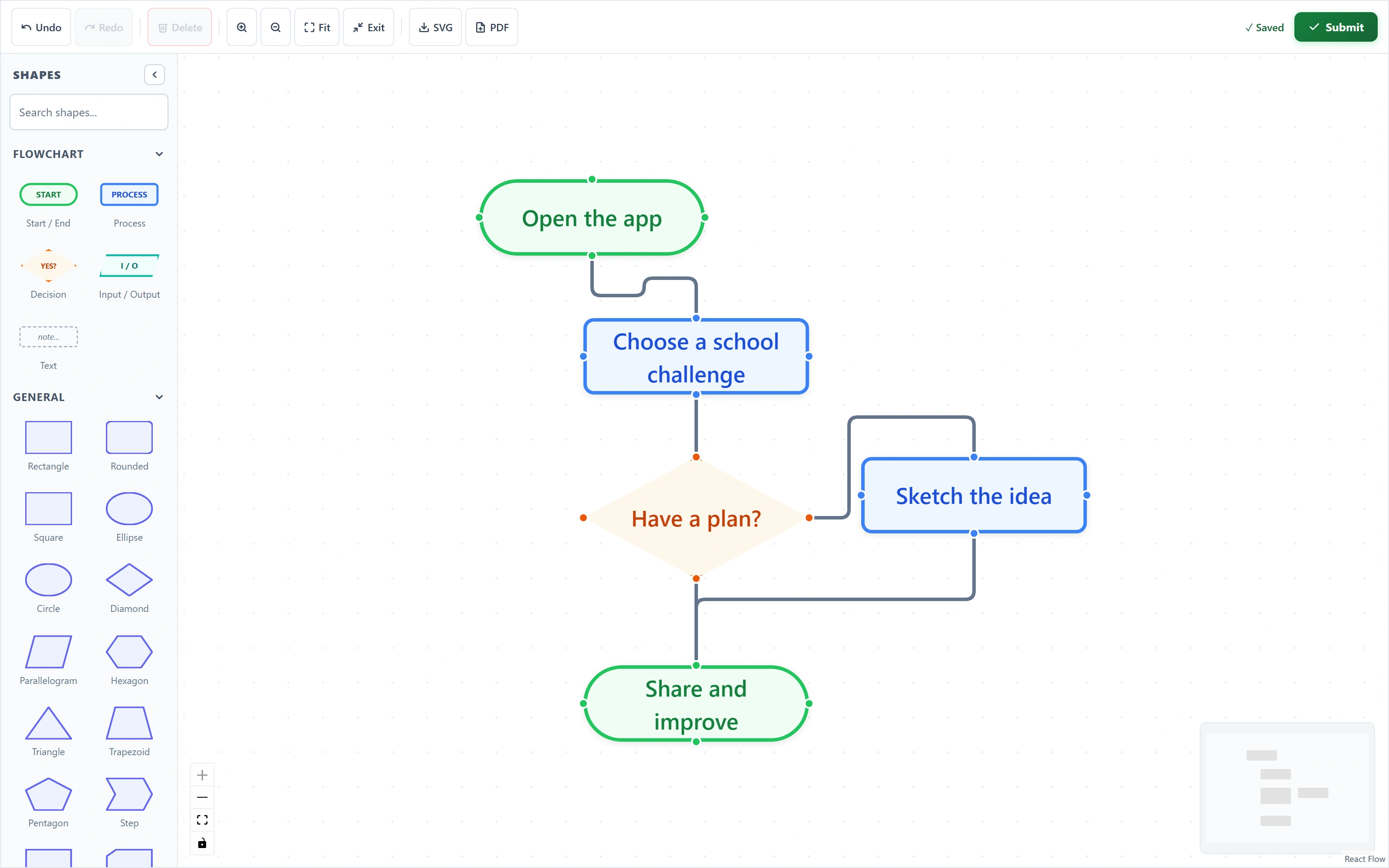
An idea becomes a visible plan
A real diagram made with the native shape palette, editable labels and connected decision branches.
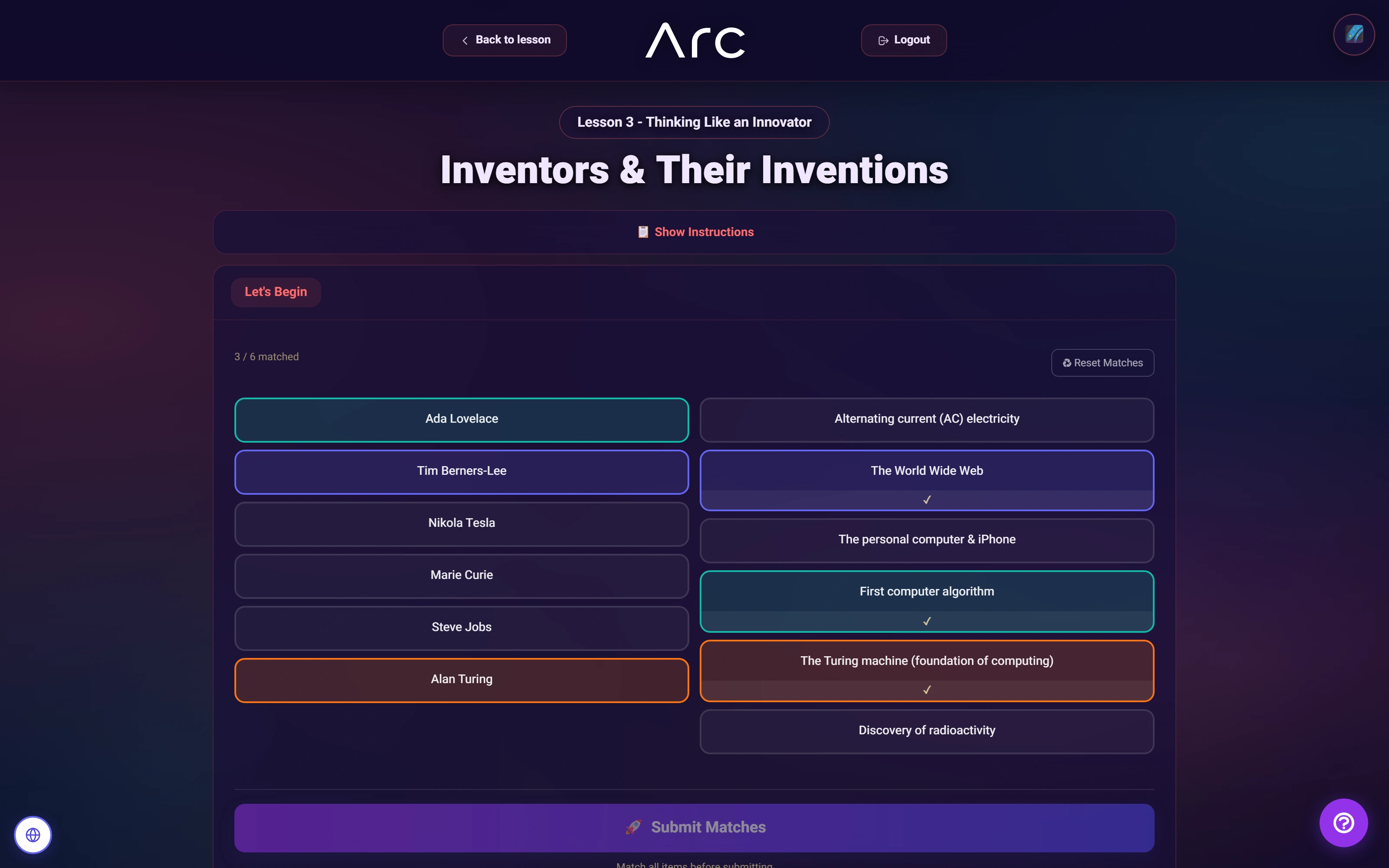
Think through the connections
Three matched pairs are visible in the native activity.
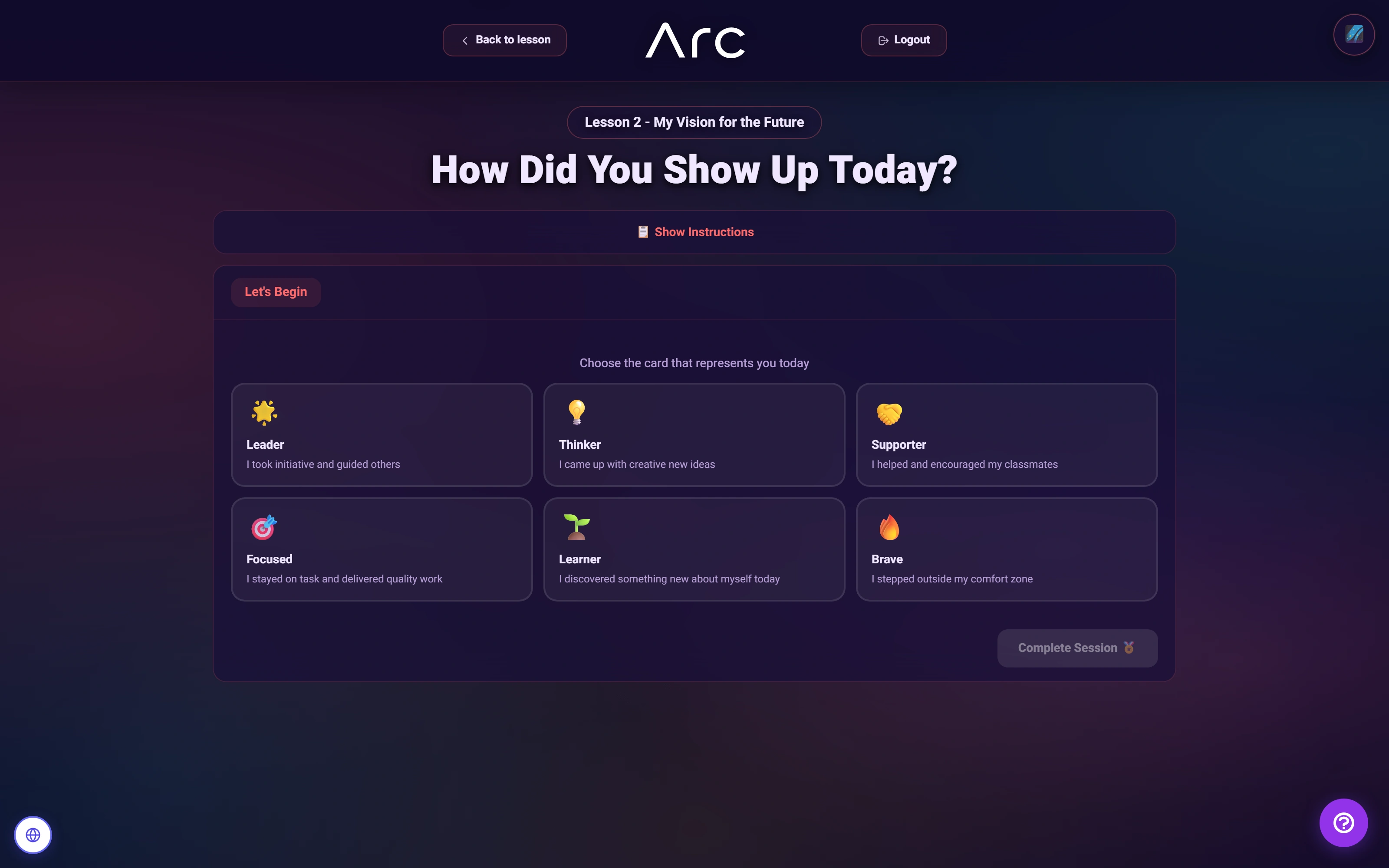
End a lesson with reflection
The student can choose a session-finale card, then explain how they showed up in the lesson.
Source references & review notes
app/Platform/Domain/Task/TaskType.phpresources/views/components/task-types/editor.blade.php
Source reviewed at development revision 5549bf96. Original captures have their own pinned revisions; the live platform has a separate release.