Run the learning platform
Compare schools in their regional context.
Move between regional and school breakdowns while keeping the selected population visible.
Admin BI is a separate, admin-only workspace. Staff reporting has its own Overview, Grading and Progress pages.
Schools in the fictional program
Northstar School: 2 groups, 46 learners. Cedar School: 1 group, 20 learners. Regional labels are omitted because the shared sample does not assign regions.
| Classroom | Instructor | Learners |
|---|---|---|
| Python Lab ↗Northstar School | Maya Reed | 24 |
| Web Studio ↗Northstar School | Eli Stone | 22 |
| Idea Lab ↗Cedar School | Sam Park | 20 |
What this part of Arc does
- Region and school breakdowns
- Classroom, learner and instructor counts
- Average learners per group and groups per instructor
This is a browsable portfolio interpretation of Arc’s workflows with fictional examples. Navigation, filtering and theme previews work here; editing, execution and platform services belong to the original application.
Inside the original application.
Real Arc screens and recordings, captured locally with fictional people and work.
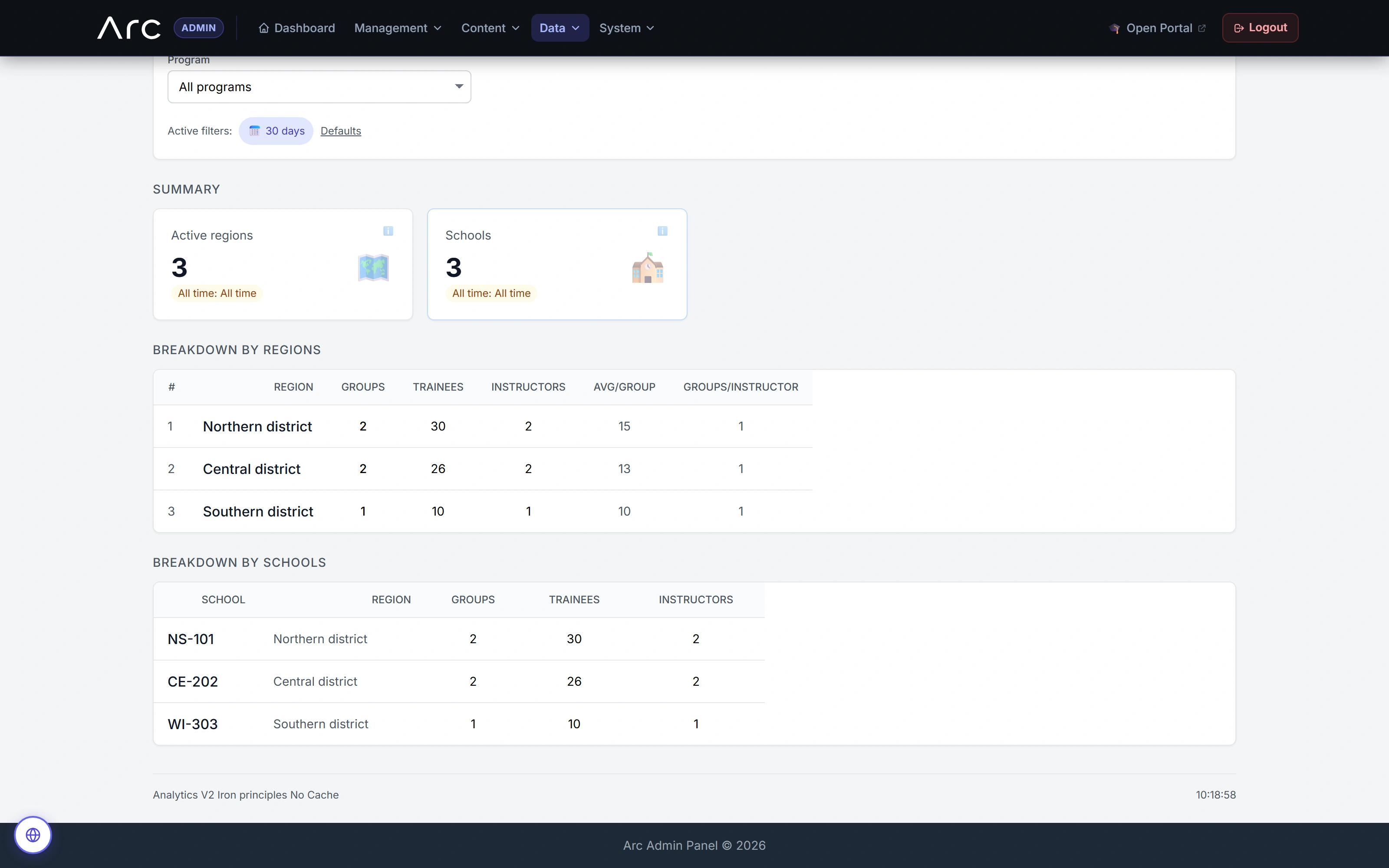
The program across regions and schools
Regional and school breakdowns retain group, learner and teaching context.
Watch this workflow in Arc
The program behind the classroom.
Explore the original admin and scoped school analytics: inventory, nine friction lenses, an open calculation, modeled indices, a comparison gate and the work behind the numbers.
Read the walkthrough
- Inventory and activity
The original BI view separates all-time inventory from activity within the selected period. Every figure comes from fictional local fixtures.
- Nine friction lenses
Nine distinct lenses show different participation and workflow patterns. Labels and calculation controls remain visible in the original interface.
- Open the calculation
The native No-Show explanation opens. A close-up retains its formula, variables and concrete substitution: one qualifying run out of 25 gives 4%.
- Read modeled indices carefully
The 30-day modeled-index view includes five eligible peers. Its VRI calculation includes a fixed 0.8 assumption; these indices are not validated causal measurements of teaching quality.
- Respect the comparison gate
A separately loaded seven-day slice has no eligible peers. Arc retains absolute values and explicitly withholds a fair peer comparison; this differs from the 30-day view shown before it.
- Review queues and grade context
The scoped school analytics view displays review age, score distribution and a class-by-lesson grade matrix. A detail insert makes the matrix values readable.
- Follow lesson progression
Started, submitted and reviewed counts stay separate along the lesson sequence, followed by a weekly trend view. This is fictional history, not reported live program impact.
Source references & review notes
routes/platform/admin.phpapp/Platform/Portals/Admin/Controllers/AdminAnalyticsV2Controller.phpapp/Platform/Domain/Analytics/AnalyticsQueryService.php
Source reviewed at development revision 5549bf96. Original captures have their own pinned revisions; the live platform has a separate release.