Run the learning platform
A curriculum has more than a list of tasks.
Lessons carry activities, teaching materials and separate coding resources for students and instructors.
Start with a question
Select another lesson to inspect its activities.
- 01A learning goalExplore
- 02Reflect on your approachMake
- 03My learning boardReflect
What this part of Arc does
- Build, duplicate, version, import and export content packs
- Arrange lessons and tasks; preview the student experience
- Add reusable material as independent copies or linked mirrors
- Keep publication, classroom assignment and lesson release separate
This is a browsable portfolio interpretation of Arc’s workflows with fictional examples. Navigation, filtering and theme previews work here; editing, execution and platform services belong to the original application.
Inside the original application.
Real Arc screens and recordings, captured locally with fictional people and work.
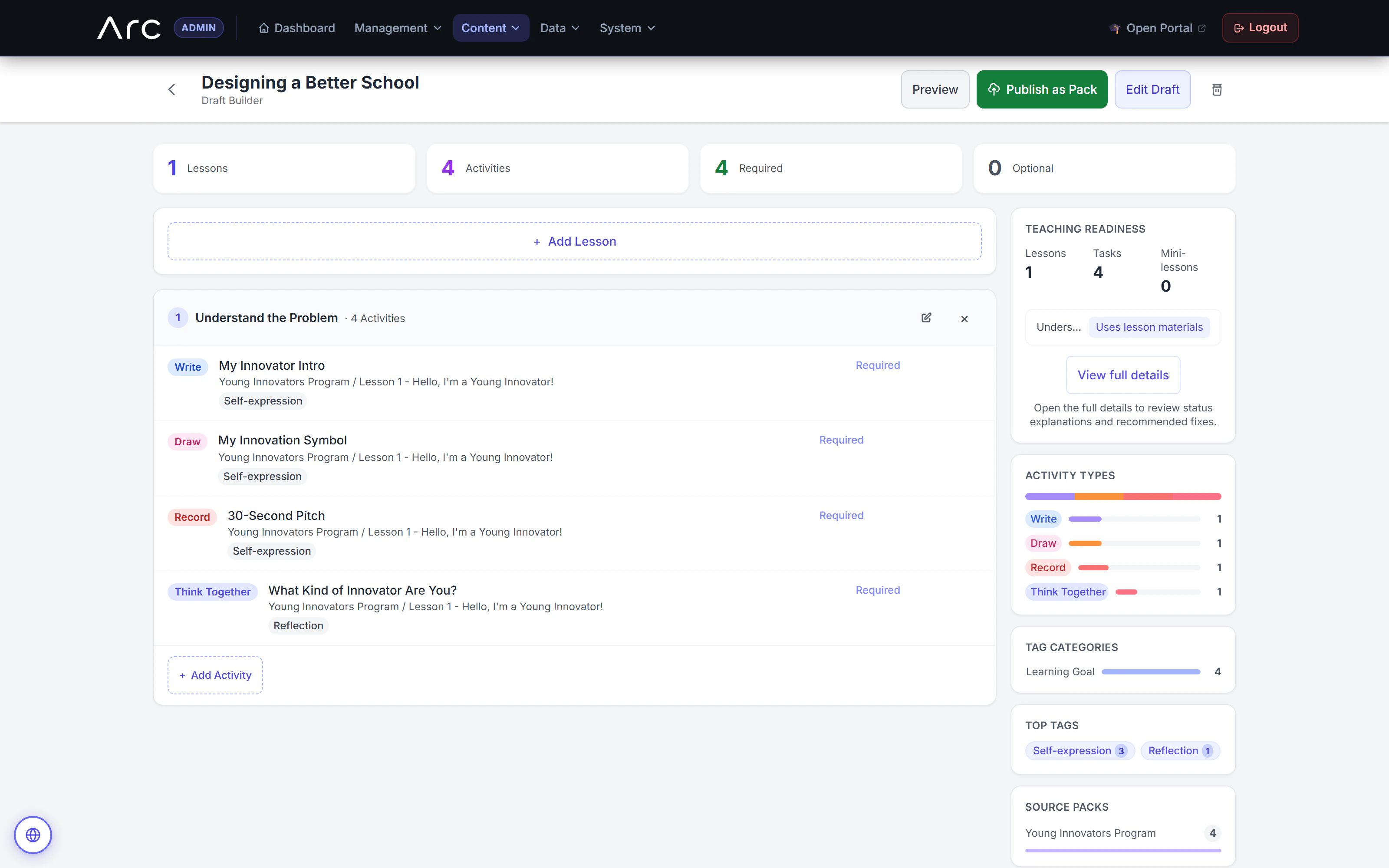
Reusable activities become a lesson
The draft builder assembles writing, drawing, recording, and reflection activities while showing teaching materials and the mix of activity types.
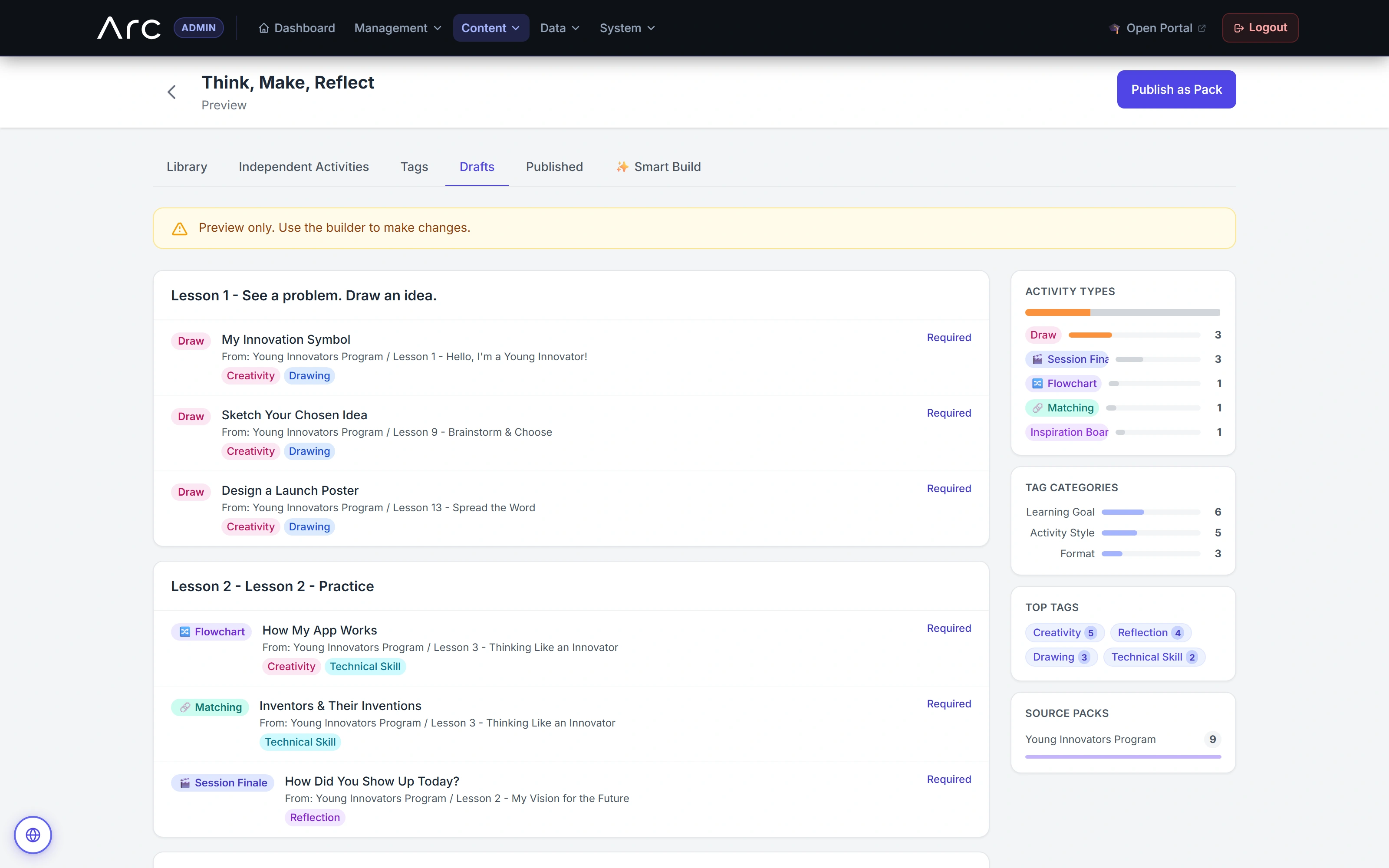
Review an editable learning sequence
The draft keeps its activity mix and source context visible before publication.
Watch this workflow in Arc
Build a syllabus with intent.
Set a learning direction, assemble existing activities, then refine the sequence and inspect teaching readiness.
Read the walkthrough
- Set the direction
The author sets a goal and activity preferences for three lessons.
- Assemble existing activities
Arc creates a three-lesson, nine-activity draft from tagged source activities. Preferences affect ranking; they are not strict type filters.
- Refine the sequence
The author renames the opening lesson using the native draft editor.
- Review teaching readiness
The readiness screen identifies activities without mini-lessons or general lesson materials. This is a sample gap, not a completed curriculum claim.
- Preview the syllabus
The preview retains source provenance and activity mix. The capture does not publish or assign the draft.
Source references & review notes
app/Platform/Portals/Admin/Controllers/AdminContentPackController.phpapp/Platform/Portals/Admin/Controllers/AdminContentPackStructureController.phpapp/Platform/Domain/ContentPack/ContentPackAssignmentService.php
Source reviewed at development revision 5549bf96. Original captures have their own pinned revisions; the live platform has a separate release.