Run the learning platform
See what is ready to teach.
Coverage distinguishes an activity's mini-lesson, inherited lesson material and missing preparation.
Teaching readiness
Start with a question
Lesson teaching materials
Decisions & loops
Activity mini-lessons
Build it together
One preparation gap
Coverage is advisory: an activity can use its own mini-lesson, inherit lesson materials or still need preparation. A warning does not automatically block publication.
What this part of Arc does
- Task-level mini-lessons and lesson-level teaching resources
- Advisory gaps that remain visible before publishing
- Drafts preserve their source context without changing the reusable original
This is a browsable portfolio interpretation of Arc’s workflows with fictional examples. Navigation, filtering and theme previews work here; editing, execution and platform services belong to the original application.
Inside the original application.
Real Arc screens and recordings, captured locally with fictional people and work.
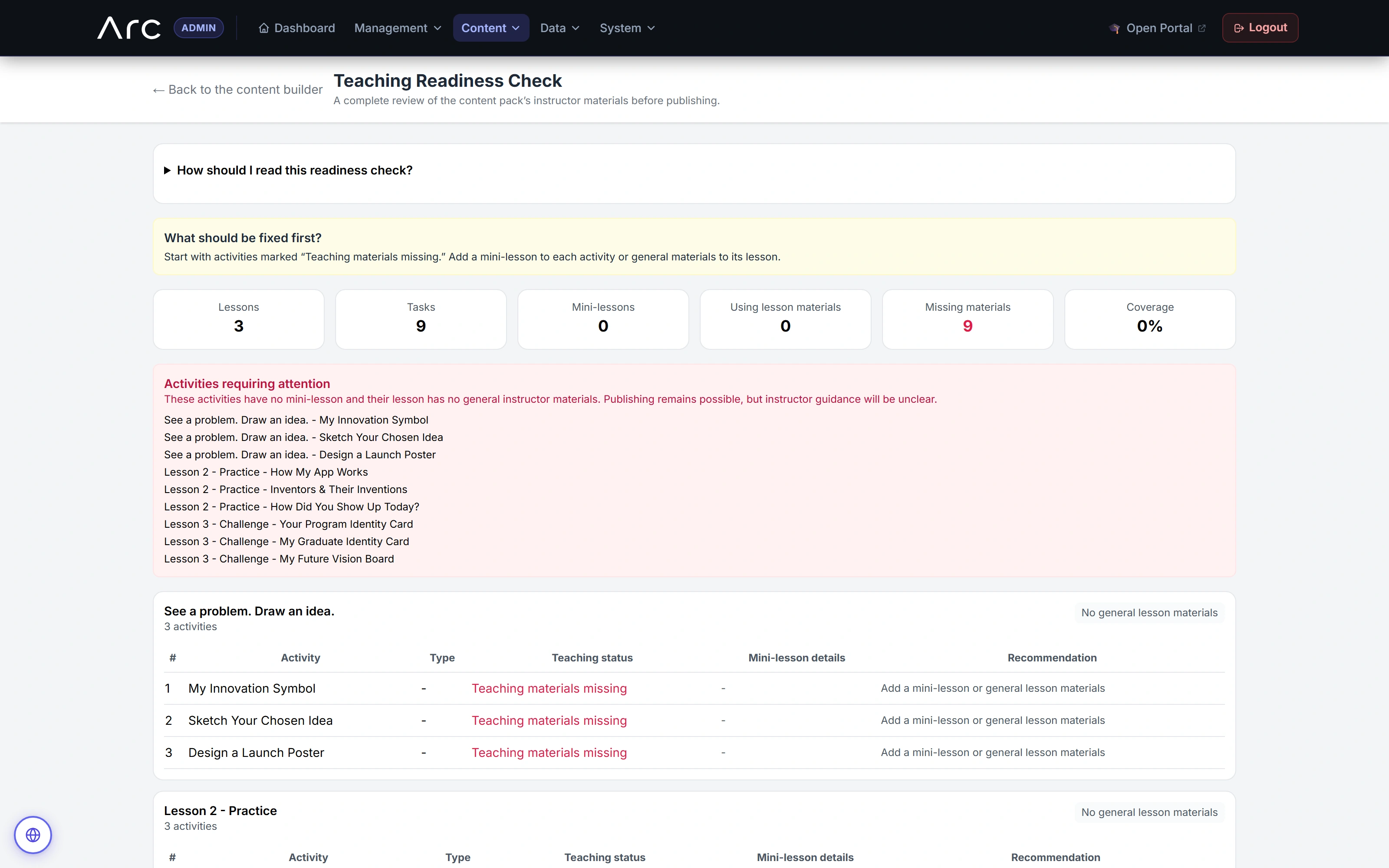
Make preparation gaps visible
This sample draft is missing teaching materials. Arc lists the affected activities and recommends what to add.
Watch this workflow in Arc
Build a syllabus with intent.
Set a learning direction, assemble existing activities, then refine the sequence and inspect teaching readiness.
Read the walkthrough
- Set the direction
The author sets a goal and activity preferences for three lessons.
- Assemble existing activities
Arc creates a three-lesson, nine-activity draft from tagged source activities. Preferences affect ranking; they are not strict type filters.
- Refine the sequence
The author renames the opening lesson using the native draft editor.
- Review teaching readiness
The readiness screen identifies activities without mini-lessons or general lesson materials. This is a sample gap, not a completed curriculum claim.
- Preview the syllabus
The preview retains source provenance and activity mix. The capture does not publish or assign the draft.
Source references & review notes
resources/views/admin/content-builder/drafts/coverage/lesson.blade.phpapp/Platform/Domain/ContentBuilder/ContentPackDraftPublishingService.php
Source reviewed at development revision 5549bf96. Original captures have their own pinned revisions; the live platform has a separate release.