Run the learning platform
Prepare the explanation as well as the activity.
A lesson can hold slides, a teaching plan, notes and attachments alongside its tasks.
Start with a question
A view of lesson preparation fields.
- 01A learning goalExplore
- 02Reflect on your approachMake
- 03My learning boardReflect
- Presentation
- Introduce the problem and model one example
- Teaching plan
- Explain → demonstrate → practice → discuss
- Instructor notes
- Ask what changes at each decision
- Sandbox resources
- Separate student and instructor master archives
What this part of Arc does
- Lesson presentation, plan, notes and media
- Separate student and instructor sandbox master archives
- Portable lesson/task bundles and JSON editing
- Task-specific instructions, review configuration and mini-lessons
This is a browsable portfolio interpretation of Arc’s workflows with fictional examples. Navigation, filtering and theme previews work here; editing, execution and platform services belong to the original application.
Inside the original application.
Real Arc screens and recordings, captured locally with fictional people and work.
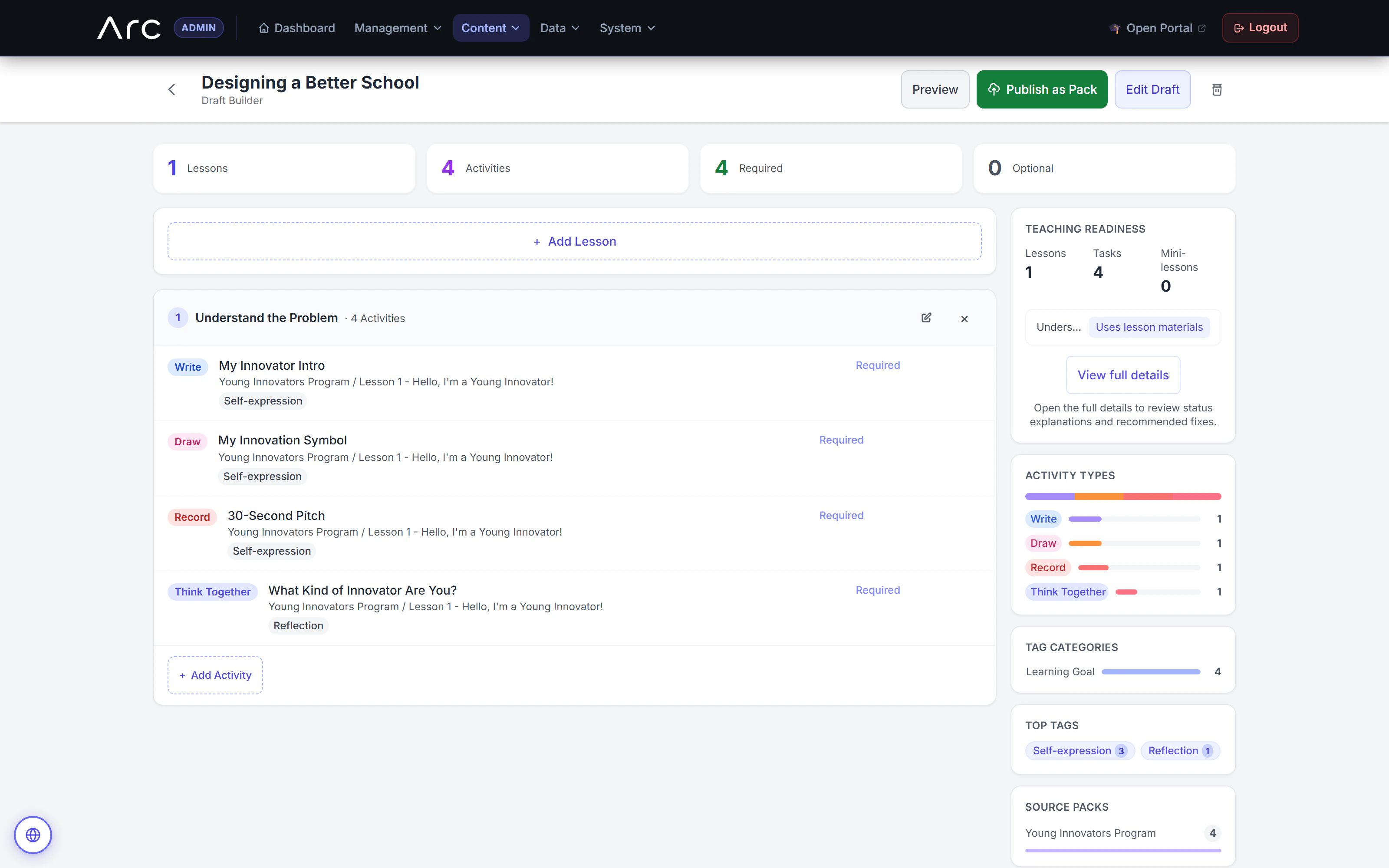
Reusable activities become a lesson
The draft builder assembles writing, drawing, recording, and reflection activities while showing teaching materials and the mix of activity types.
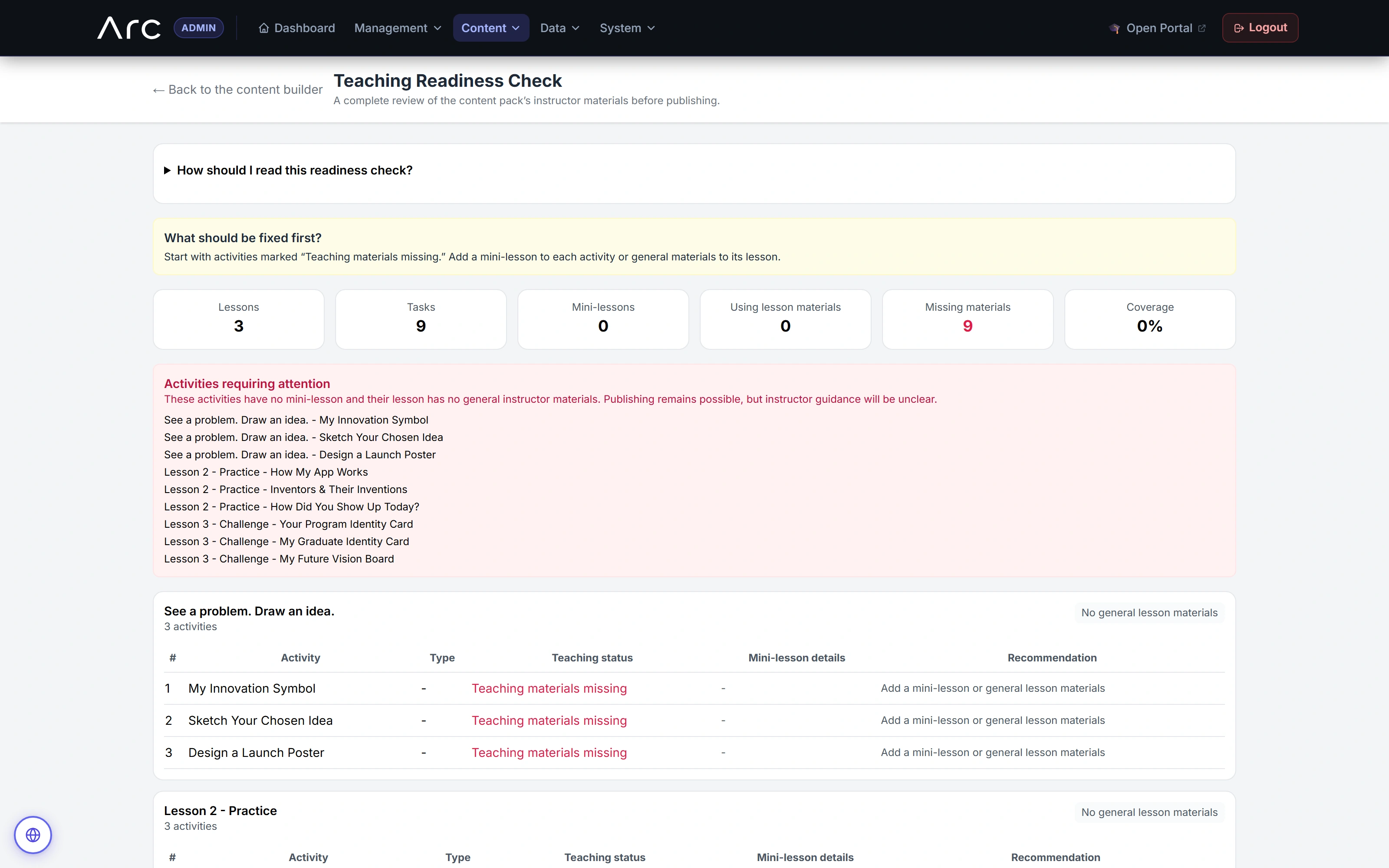
Make preparation gaps visible
This sample draft is missing teaching materials. Arc lists the affected activities and recommends what to add.
Source references & review notes
app/Platform/Portals/Admin/Controllers/AdminContentPackLessonController.phpapp/Platform/Portals/Admin/Controllers/AdminContentPackTaskController.phpapp/Platform/Portals/Admin/Controllers/AdminLessonPresentationController.php
Source reviewed at development revision 5549bf96. Original captures have their own pinned revisions; the live platform has a separate release.