Run the learning platform
A report can lead back to a learner's work.
This example represents a manager with the additional student-detail permission.
- Submitted versions
- 7
- Reviewed versions
- 6
- Latest state
- Revision submitted
Version 2 · a revised explanation
Selected written activity: Explain your reasoning · Decisions & loops. The programming revision is another activity in the same lesson.
First I check whether an input was provided. If it is missing, I ask for it again. Otherwise I evaluate the condition and show the result.Awaiting review
These short texts are authored fictional examples of Arc’s version and review model, not extracted learner work.
What this part of Arc does
- Student detail is not included in the default school-manager permission set
- Task and lesson context with submitted versions
- Published review and original work previews
This is a browsable portfolio interpretation of Arc’s workflows with fictional examples. Navigation, filtering and theme previews work here; editing, execution and platform services belong to the original application.
Inside the original application.
Real Arc screens and recordings, captured locally with fictional people and work.
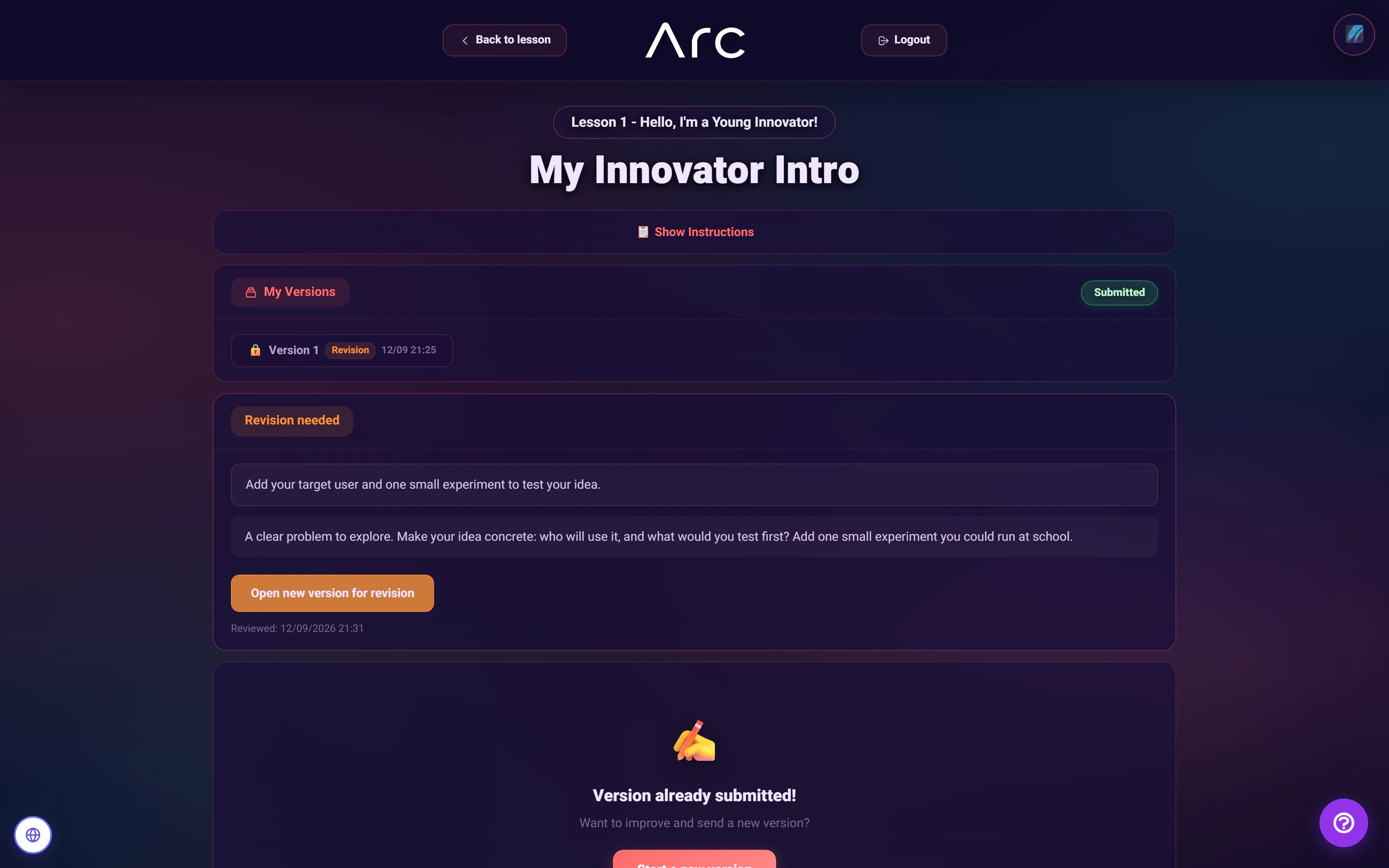
A clear reason to try again
The student receives the revision request alongside the previous version, with a direct path to improve the answer.
Watch this workflow in Arc
From a first idea to a stronger second version
A real student submission, an instructor’s revision request, and an improved answer - with both versions preserved.
Read the walkthrough
- Submit a first idea
A fictional student writes a first response and submits version 1 of the activity.
- Turn feedback into a clear next step
The instructor reads that response, publishes actionable feedback and requests a revision.
- Improve the work. Keep both versions.
The student reads the feedback and submits an improved version 2, preserving the first submission.
Source references & review notes
config/system_users.phpapp/Platform/Portals/SchoolManager/Services/SchoolManagerStudentDetailPresenter.phpapp/Platform/Portals/SchoolManager/Services/SchoolManagerSubmissionPreviewPage.php
Source reviewed at development revision 5549bf96. Original captures have their own pinned revisions; the live platform has a separate release.